
Digital Strategy Review | 2026
Claude Code Source Code Walkthrough 03: From AgentTool and tasks to swarm — What a Real Agent Runtime Looks Like
By Uncle Fruit · Reading Time / 8 Min
Foreword
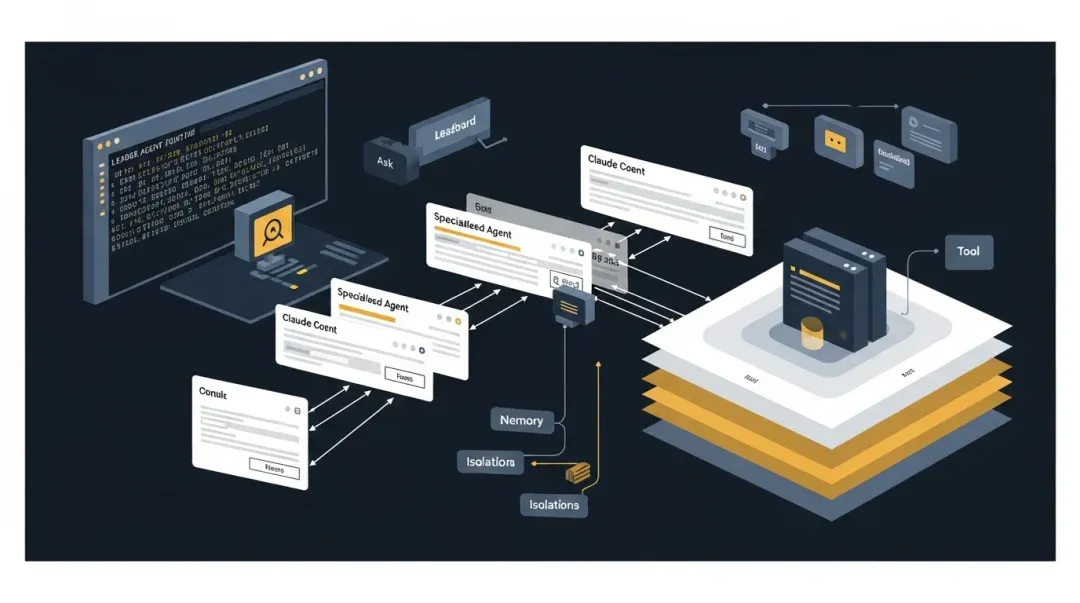
After laying out the startup process and the main loop in the first two articles, we finally arrive at the most distinctive part of Claude Code: the agent runtime itself.
I have always felt that this layer is where Claude Code truly pulls away from many “CLI assistants that can call tools.” It solves a problem far more complex than just “triggering another model request”; it addresses how to turn a sub-agent into a runtime object that is schedulable, recoverable, isolated, and collaborative.
I suggest viewing this layer as a complete answer to the following question:
How does Claude Code upgrade a “sub-model request” into a “schedulable, isolated, recoverable, and collaborative Agent entity”?
The key files in this layer are:
01
I. AgentTool is a Unified Entry Point, Not a Single Path
This section answers: Why doesn’t Claude Code split different agent forms into a bunch of independent entry points, instead consolidating them into an AgentTool? This choice is crucial because it determines whether the model sees a “unified delegation interface” or a scattered mess of capabilities.
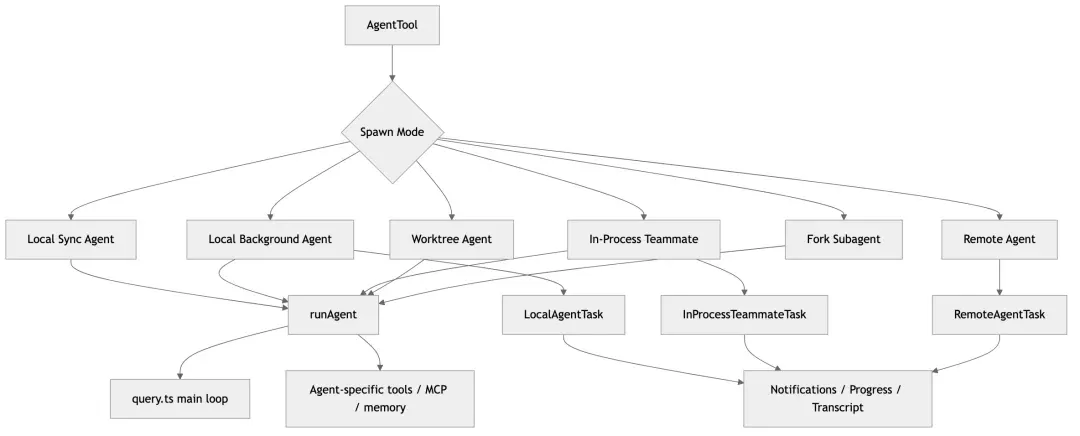
The greatest value of src/tools/AgentTool/AgentTool.tsx lies in the fact that it exposes a unified tool externally, while internally routing to various agent execution forms.
Based on the source code behavior, it covers at least these branches:
• Standard sub-agents • Background local agents • Teammates • Forked sub-agents • Worktree-isolated agents • Remote agents
This indicates that Claude Code’s core design is not “creating many different spawn APIs,” but rather:
Giving the model a unified delegation entry point first, then letting the runtime decide which backend to hand it off to.
This is a highly platform-oriented design.
02
II. Agents in Claude Code are First and Foremost Tasks
This is perhaps the most critical point of the entire implementation.
Task.ts, along with LocalAgentTask, RemoteAgentTask, and InProcessTeammateTask, clarifies that:
• An agent is not just an auxiliary transcript. • An agent is not just a return value from a function call. • An agent is a distinct task entity.
1. Task Identity
A task possesses, at minimum:
• id, type, status, description, toolUseId
• startTime/endTime, outputFile, notified
This allows background agents, remote agents, and in-process teammates to all be managed under the same mechanism.
2. Why this is superior to a “sub-conversation” design
Once an agent becomes a task, the system naturally gains: • Background execution • Notifications • Kill/cleanup capabilities • Panel display • Resume/restore functionality • Sidechain transcripts
This is the fundamental reason Claude Code can turn agents into long-running entities.
03
III. runAgent.ts: A Single Execution Engine Driving All Agent Forms
src/tools/AgentTool/runAgent.ts is the core executor of the agent runtime.
What is most noteworthy here is that it does not reinvent a new “agent loop,” but rather places the agent into the same query-based execution model.
1. What it assembles
When starting an agent, the runtime prepares:
• Prompt messages, toolUseContext, canUseTool, querySource
• Model/maxTurns, tool pool, allowed tools
• transcriptSubdir, worktreePath
• Optional override system prompt/user context
In other words, Claude Code does not interpret an agent as a “sub-model with a prompt,” but as:
A controlled query loop with independent context, an independent tool surface, and independent execution parameters.
2. Agents can carry their own MCPs
initializeAgentMcpServers(...) is critical. It allows agent definitions to specify:
• Referencing existing MCP servers
• Or defining new MCP server configurations inline
These are attached at startup and cleaned up at the end. This means an agent’s capability boundaries can be more granular: • The parent session doesn’t need to pre-load all external capabilities. • An agent can extend its own operational surface on demand.
This is a classic implementation of “attaching capabilities by role.”
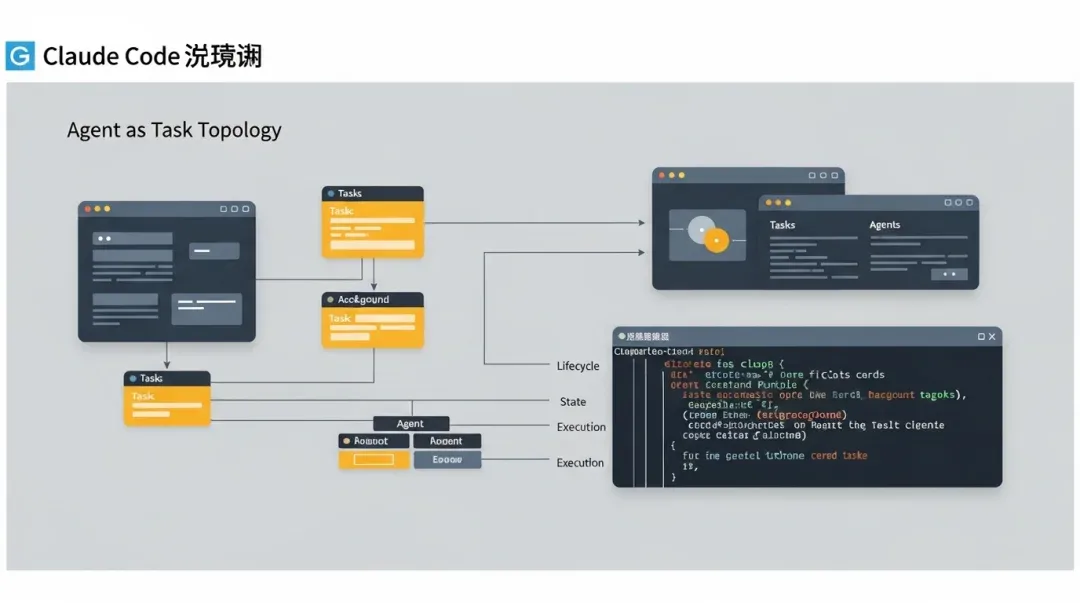
By placing agents into a unified Task system, background execution, restoration, visualization, and permission coordination gain a solid foundation.
04
IV. Built-in Agents vs. Custom Agents: Elevating Roles to a Configuration Layer
loadAgentsDir.ts is worth a close read, as it defines how the system views “agent roles.”
Claude Code’s agent definitions are not just prompts; they can also declare:
• tools, disallowedTools, skills, mcpServers, hooks
• model, effort, permissionMode, maxTurns, background, memory, isolation, omitClaudeMd
This means an agent is an executable role-description object.
1. Direct benefits
You can naturally support: • Built-in agents, user/project agents, policy agents, plugin agents. • And allow them to override each other based on priority.
2. Why this is much stronger than “custom prompts”
Because the system can now do more than just “give it a persona”: • It can constrain which tools it can use. • It can decide whether it runs in the foreground or background by default. • It can decide whether it carries memory. • It can decide whether it is a worktree or remote agent.
This makes the agent a true system object.
05
V. Three Built-in Agents Illustrate the Design Philosophy
1. Explore Agent
The Explore agent is explicitly designed as a read-only, fast, concurrent search-oriented role. The point isn’t just that it can search, but that the system writes these constraints into the role boundaries: • Editing is forbidden. • Concurrent read/search is encouraged. • It even decides whether to use specialized tools or read-only bash commands based on the environment.
2. Plan Agent
The core of the Plan agent isn’t “writing a plan,” but: • Explicitly read-only. • Emphasizing exploration of existing patterns. • Aiming for structured output in the form of an implementation plan.
It effectively extracts “architectural analysis” from the main agent into a reusable role.
3. Verification Agent
The Verification agent is even more interesting. It is not a standard reviewer, but is shaped into an adversarial verifier that actively looks for evidence of failure. This shows that Claude Code designs agents not just by functional division, but by behavioral inclination.
06
VI. Fork Subagent: Not Just Copying Context, but Prompt Cache Engineering
forkSubagent.ts is, in my opinion, one of the most engineering-intensive designs in the entire system. The goal is clear:
• Let the forked child inherit the parent context.
• Ensure the request prefix is stable to maximize prompt cache sharing.
Its approach includes:
• Retaining the full parent assistant message.
• Generating unified placeholder tool_result for all tool_use.
• Keeping variable directives at the end.
• Minimizing the rendering of system prompt bytes from the parent session.
This shows that Claude Code’s fork implementation isn’t just “functional,” but is seriously optimizing token costs for large-scale usage.
07
VII. Agent Memory: Mature Scope Control for Role-Level Memory
agentMemory.ts supports three scopes: user, project, and local. This is highly practical.
Why this matters
Agent memory fears two things most: • Cross-project contamination. • Mixing team-shared knowledge with personal preferences.
The three-layer scope separates these issues perfectly:
• user is suitable for cross-project experience.
• project is suitable for project-wide knowledge.
• local is suitable for machine and work-copy-related states.
This isn’t the flashiest memory system, but it is very well-aligned with real-world engineering scenarios.
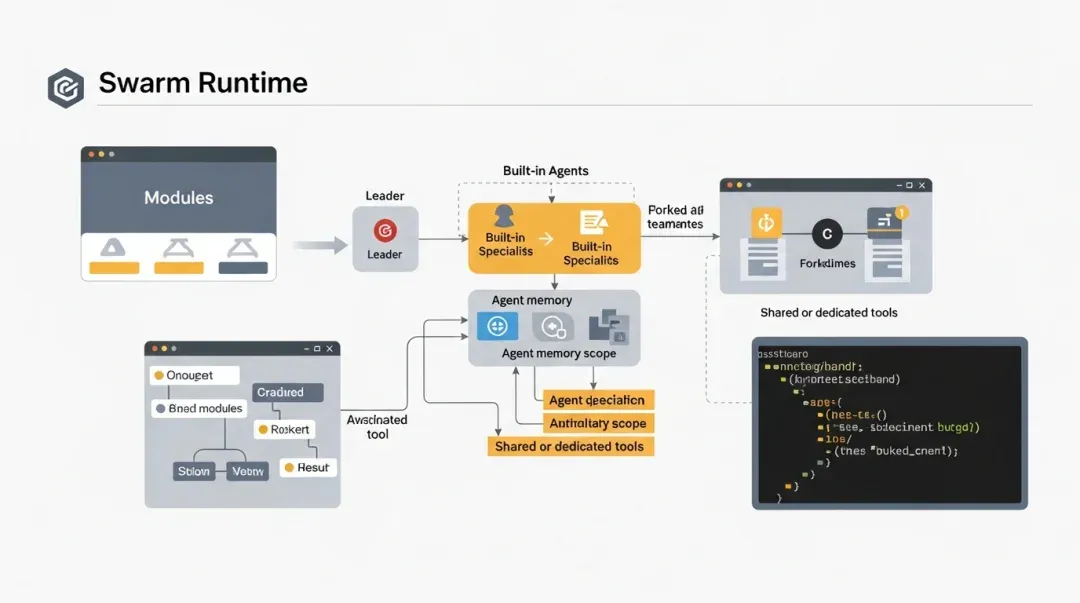
From built-in agents to forked teammates and role-based memory, Claude Code is clearly using system design rather than “prompt puzzles.”
08
VIII. LocalAgentTask: How Background Agents Become True System Entities
LocalAgentTask.tsx demonstrates the complete lifecycle management of background local agents.
1. It has its own progress tracker
The system tracks tool use counts, token counts, last activity, recent activities, and summaries. This means background agents aren’t “running in a black box,” but are observable.
2. It has its own messaging and notification mechanism
When a background task ends, it enters a unified <task-notification> path. The main session doesn’t need to block and wait; it simply consumes the notification at an appropriate time.
3. It has UI semantics like retain/foreground/disk bootstrap
This means a background agent isn’t just an execution object; it’s an object the user can “switch to the foreground to view the transcript.” This elevates the multi-agent experience from “background threads” to “interactive tasks.”
09
IX. RemoteAgentTask: Bringing Remote Execution into the Same Task Model
RemoteAgentTask.tsx shows that Claude Code does not treat remote agents as a completely different system. Remote tasks also have taskState, status, output, notification, restore, and kill/archive. The only difference is that the execution backend is replaced by remote session polling.
The biggest benefit is architectural unification: • To the user, it’s still a task. • To the REPL, it’s still in the task list. • To the restoration logic, it still has sidecar metadata.
In other words, Claude Code doesn’t have “one set for local, one for remote,” but rather one task abstraction with multiple execution backends.
10
X. Swarm / In-Process Teammate: The Most Interesting Collaboration Layer
spawnInProcessTeammate.ts and inProcessRunner.ts showcase another of Claude Code’s strengths: team-based agent collaboration.
1. Why use in-process teammates?
If every teammate starts an independent process, overhead is high and state synchronization is cumbersome. If everything is stuffed into the main context, there is no isolation. Claude Code chose a practical compromise: • In-process execution. • Independent task state. • Independent teammate identity. • Using teammate context for identity isolation.
2. Mature permission handling
The design of createInProcessCanUseTool(...) is elegant:
• Worker requests a tool call.
• It passes through permission checks first.
• “Ask” requests prioritize the leader’s unified ToolUseConfirm UI.
• If unavailable, it falls back to the mailbox for synchronization.
This ensures an important feature:
Multiple agents can execute concurrently, but final permission control always returns to the user-understandable main interface.
3. Collaboration is an explicit mechanism, not a concept
This system contains many things specifically for collaboration: teammate identity, mailbox, permission bridge, plan mode requirements, team files, and split pane/pane backends.
In other words, Claude Code isn’t just “capable of opening multiple agents”; it is genuinely building a team runtime.
11
XI. Understanding Agent Runtime in One Diagram
12
XII. What This Layer Truly Solves
If I were to summarize this layer in more abstract terms, I would say Claude Code solves the following:
- How to give the model a unified “delegation entry point.”
- How to let different types of agents share the same core execution engine.
- How to give agents task identity instead of being one-off sub-calls.
- How to embed permissions, collaboration, isolation, and memory into the agent runtime.
- How to keep local, in-process, and remote execution forms architecturally unified.
This is exactly why Claude Code is stronger than “ordinary CLIs that support sub-agents.”
The next article will return to the top layer: Why REPL.tsx and AppStateStore.ts look the way they do today, and how they handle all the complexity mentioned above.
