
Digital Strategy Review | 2026
Claude Code Source Code Walkthrough 04: Revisiting REPL.tsx and AppStateStore.ts — Why the UI Layer Looks the Way It Does
By Uncle Fruit · Reading Time / 8 Min
Preface
We’ve reached the fourth installment, and the groundwork laid in previous parts finally converges here.
If you jump straight into REPL.tsx, it’s easy to feel it’s absurdly large; if you look at AppStateStore.ts first, you might wonder why so much state is crammed into one place. However, once you have the context from the first three parts, these two files become quite logical. They aren’t just ordinary UI layers; they are the control plane for the entire Claude Code agent runtime.
In other words, the question this article aims to answer is: Why does a multi-agent system in a terminal require a control structure that looks “like a UI, but is more than just a UI”?
They are not ordinary UI layers, but the unified control plane for the entire Claude Code agent runtime.
01
I. First, look at AppStateStore.ts: It’s not page state, it’s session-level runtime state
This section is worth reading first. If you view AppStateStore.ts merely as a container for page state, many design choices will seem bloated. But once you view it as a session-level runtime store, everything falls into place.
The most important characteristic of AppState is that it manages more than just display. It carries three categories of state:
01 Interaction State 02 Execution State 03 Collaboration State
1. Interaction State
Includes:
• Current settings
• Status line
• Expanded view
• Footer selection
• Prompt suggestion
• Notifications
• Elicitation queue
• thinkingEnabled
This part looks like typical UI state.
2. Execution State
Includes:
• tasks
• foregroundedTaskId
• viewingAgentTaskId
• toolPermissionContext
• mcp.clients / tools / resources
• plugins
• agentDefinitions
• todos
• sessionHooks
This part is clearly no longer “page state,” but a core object repository for the session runtime.
3. Collaboration State
Includes:
• agentNameRegistry
• Teammate-related view state
• Remote connection status
• Bridge status
• Computer use / bagel / tungsten-related state
In essence, AppState is:
The unified state tree of the “world” inhabited by the current Claude Code session.
02
II. Why tasks must be at the top level of AppState
This is the most critical point for understanding the entire UI architecture.
Claude Code’s task system isn’t hidden inside some service; it is placed directly at the top level of the state tree:
• tasks
• foregroundedTaskId
• viewingAgentTaskId
• agentNameRegistry
This leads to several direct results: 01 Background agents can be consumed directly by the UI. 02 In-process teammates can be switched and viewed. 03 Remote tasks can be integrated into a unified list. 04 Notifications, foregrounding, closing, and resuming can all be attached to the same interaction mechanism.
Without this layer, the REPL could not provide a unified control experience for multiple agents.
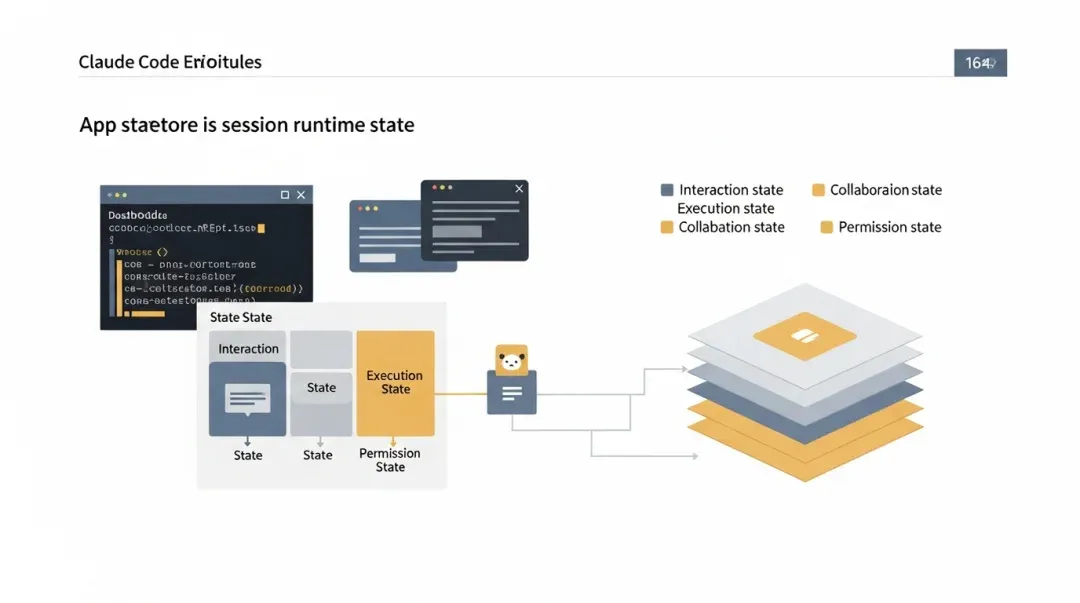
Once you understand AppStateStore, you realize that the scale of the REPL isn’t just a case of a “too-large UI file.”
03
III. Why REPL.tsx is so large: It’s not a chat window, it’s a control console
Now, looking at REPL.tsx, you understand why it has grown into a massive file. It handles all of the following simultaneously:
• Prompt input • Message rendering • Query initiation and streaming event reception • Command queue • Permission dialogs • Sandbox permissions • Background task navigation • Swarm initialization • Mailbox bridge • Merged tools / merged commands • MCP / plugin / IDE integration • Teammate views • Task lists • Various notifications and callouts
This isn’t what a “chat component” should do, but it is exactly what an agent control plane must do.
04
IV. The core role of the REPL: Translating different execution entities into a unified interaction experience
From an architectural perspective, the REPL performs at least four types of translation:
1. Translating the query loop into a streaming interface
query(...) is a low-level asynchronous generator; the REPL is responsible for turning it into:
• Message streams
• Spinners
• Progress bars
• Thinking / tool progress visualizations
2. Translating task runtime into user-understandable objects
Tasks are just states and output files at the bottom level, but the REPL turns them into: • Task lists • Teammate views • Foregrounded transcripts • Completion notifications
3. Translating the permission system into a unified approval experience
Tool permissions, sandbox permissions, and worker permissions come from different sources at the bottom level, but the REPL aggregates them into dialogs/request overlays that the user can handle.
4. Translating scattered capability sources into a single input experience
Commands, MCP, plugins, skills, slash commands, and queued commands are originally multiple paths, but the REPL ensures the user perceives and uses them through a single input interface.
05
V. Why structures like useMergedTools and useMergedCommands exist
These two hooks perfectly illustrate the UI layer philosophy of Claude Code. Because at runtime, the sources of capability are not singular:
• Local built-in tools • MCP tools • Plugin commands • MCP commands
If the UI layer handled these sources separately, the interaction would be extremely fragmented. Therefore, the REPL requires a unified “current available capabilities view.”
This is why previous articles emphasized: • Tools are a dynamic capability surface. • Commands are a dynamic capability surface. • Agent definitions are also a dynamic capability surface.
One of the REPL’s duties is to combine these dynamic surfaces into the operational world the user actually perceives.
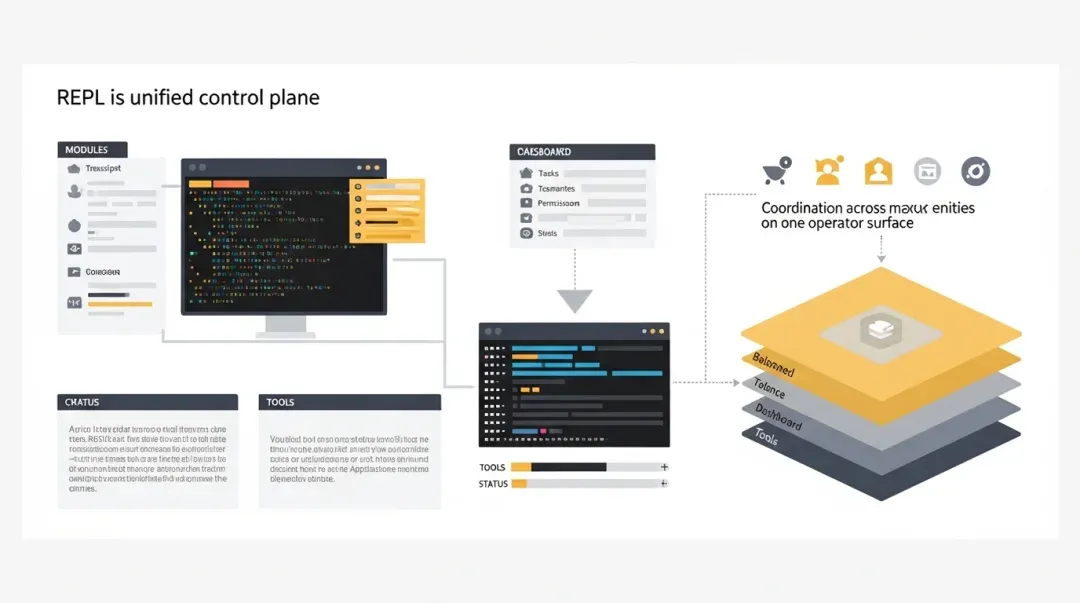
The REPL’s duty is not just to render model output, but to translate different execution entities into a set of interaction experiences that the user can master.
06
VI. Why the teammate view and task view must be in the REPL
Many systems completely separate “background tasks” from the “chat interface.” Claude Code does not.
The reason is simple: In an agent runtime, background tasks are not accessories; they are part of the main system. That is why you see the following in the REPL:
• TaskListV2
• TeammateViewHeader
• Viewing agent bootstrap
• Background task navigation
This means the REPL doesn’t just display the main agent’s conversation; it displays all active execution entities and their relationships within the entire session. This is a crucial step because it solves the hardest problem in multi-agent products:
How does the user understand that “there is more than one agent working in the system right now”?
Claude Code’s answer is: Don’t open a second interface; unify them directly into the REPL control plane.
07
VII. Why the permission UI feels so heavy
Because in Claude Code, permissions are not occasional pop-ups; they are part of the core control loop. REPL.tsx coordinates:
• PermissionRequest
• Sandbox permission queue
• Worker sandbox permission
• Prompt queue
• Elicitation queue
This is not UI over-engineering, but a natural result of the complexity of the agent runtime: • The main agent requests permissions. • Worker agents also request permissions. • Some permissions come from tools. • Some come from the sandbox/network. • Some come from MCP elicitation.
Without a unified queue and aggregated UI, the entire system would be unusable.
08
VIII. Why the REPL needs to directly understand swarm / mailbox / backgrounding
This is also worth noting. It does not completely encapsulate multi-agent collaboration in the backend, but explicitly integrates:
• useSwarmInitialization
• useMailboxBridge
• useBackgroundTaskNavigation
This shows that Claude Code’s product design is not “multi-agent backend, pretending to be single-agent frontend,” but rather an acknowledgment that collaboration itself is a first-class experience. Therefore, the REPL must understand:
• That a teammate is running. • Who is waiting for permission. • Which agent is currently being viewed. • Whether a background task has been completed.
Only in this way does multi-agent not turn into “a lot of things happened in the background, but the user is clueless.”
09
IX. Reverse-engineering UI form from state design
You can deduce why the REPL looks the way it does from a few fields:
tasks
Indicates the UI must have a task list and task navigation.
foregroundedTaskId
Indicates that background tasks can be switched back to the main stage.
viewingAgentTaskId
Indicates that agent transcripts are switchable objects, not just the main conversation.
agentNameRegistry
Indicates the system supports routing from names to agents; collaboration is not anonymous.
toolPermissionContext
Indicates that permissions are not local logic, but global runtime conditions.
mcp / plugins / agentDefinitions
Indicates that the “currently available capabilities” in the REPL are not statically hardcoded.
You will find that the complexity of the UI layer is not an accident, but a natural requirement of the state model.
10
X. Understanding the relationship between REPL and AppState in one diagram
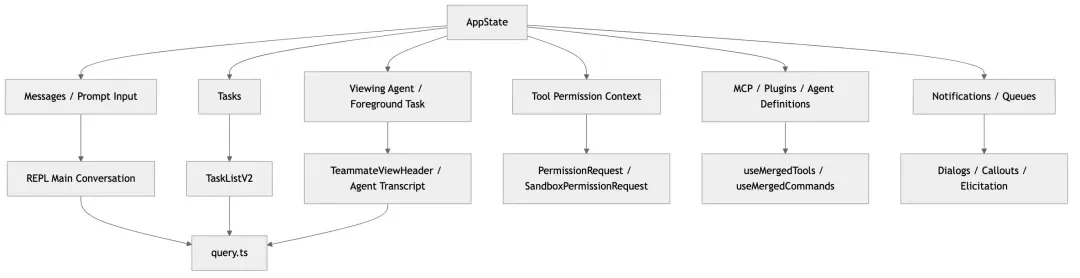
11
XI. If I had to summarize in one sentence
AppStateStore.ts defines the session-level runtime state model. REPL.tsx acts as the unified interaction control plane.
Their complexity is not because the UI is poorly written, but because Claude Code has unified all of the following into a single control plane:
• Main agent • Sub-agents • Teammates • Background tasks • Remote tasks • Permission approvals • Plugins / MCP / tools • Multiple view switching
From a product perspective, this makes Claude Code feel like an “operating system shell in a terminal.” From a source code perspective, this is why both the REPL and AppState must be structured the way they are.
12
XII. Conclusion of the series
At this point, the four articles form a complete reading path:
01 cli.tsx + main.tsx: How the system is assembled.
02 query.ts + tools.ts + toolOrchestration.ts: How the system executes.
03 AgentTool + tasks + swarm: How the system turns agents into runtime objects.
04 REPL.tsx + AppStateStore.ts: How the system presents a complex runtime to the user.
If you have followed these four parts, looking back at the Claude Code src directory will no longer feel like a pile of giant files, but rather like a multi-agent terminal runtime with very clear boundaries.
