
By Mr. Guo
0. Test Context
For vibe coders and indie hackers without design chops, the design handoff is often the biggest blocker—long before you worry about Gemini’s backend or agentic power. So many indie projects still scream “AI template” at first glance. Gemini 3.0 Pro feels like a real leap on the front-end design side (Google’s Stitch expertise clearly paid off).
To verify Google’s latest Gemini 3.0 Pro in real UI coding, I skipped algo problems and ran a “stylized UI recreation” challenge.
Test rules:
- Single file: HTML/CSS/JS must live together; no
npm install. - Zero assets: no external JPG/PNG; everything drawn with CSS.
- Abstract prompts: only describe vibe + function—no CSS values.
- One-shot: judge the very first output; no iterative debugging.
Case 1 · Cyberpunk Trading Interface
Goal
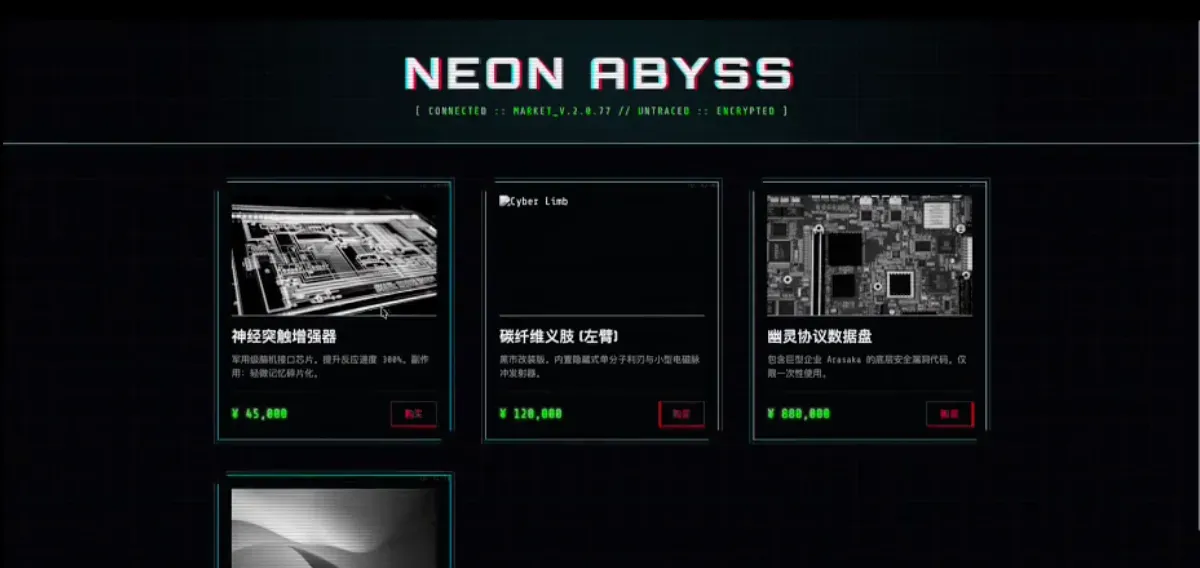
Stress-test high-contrast palettes, CSS blend modes, and glitch animations.
Prompt keywords
“High-tech, dark, neon lighting, glitch art, monospace, scanline background.”
Code highlights
- Visual fidelity: uses
clip-path: polygon(...)for chamfered edges, notborder-radius. Very on-brand for cyberpunk hardware aesthetics. - Motion logic: nails the glitch effect via
@keyframes card-glitchcombining inset changes +transform: skew. e.g.transform: translate(-2px, 2px) skew(2deg); clip-path: inset(10% 0 80% 0); - Behavior: adds JS to randomly toggle glitch classes so cards “flicker,” matching the chaotic brief.
Case 2 · Art Nouveau Gallery
Goal
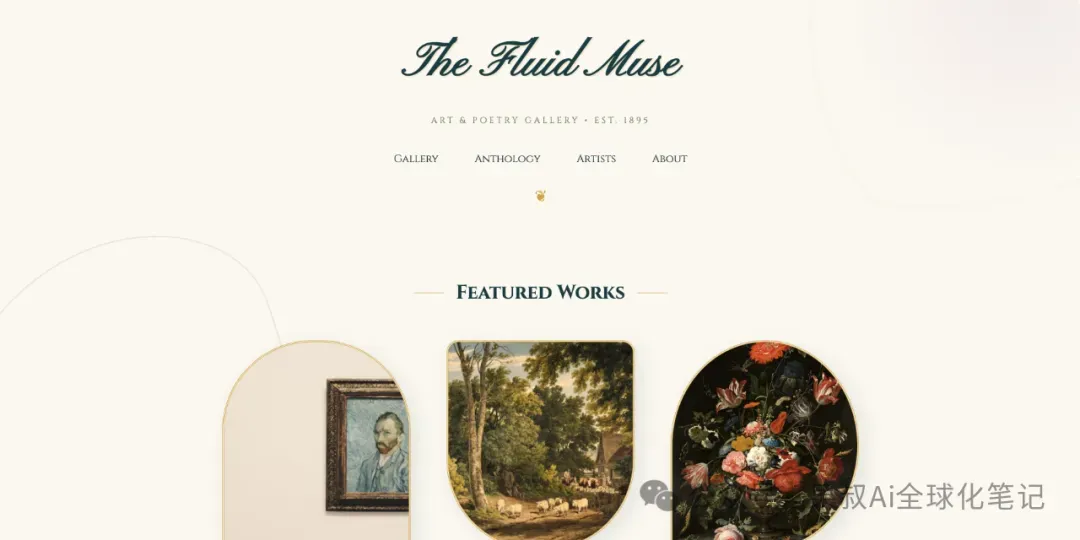
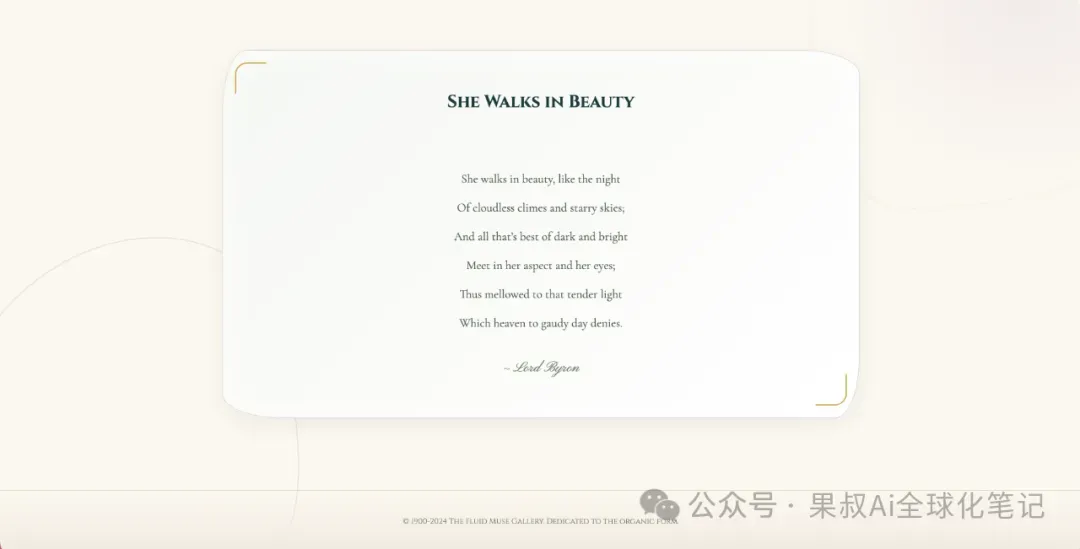
See if the model can abandon rectangles. Art Nouveau is all organic curves and asymmetry.
Code highlights
- Organic blobs: uses extreme
border-radiusvalues like60% 40% 30% 70% / 60% 30% 70% 40%—a trick only veteran CSS devs reach for. - Decorative pseudo-elements: heavy
::before/::afterusage withposition: fixedto paint vine-like strokes and color washes. - Typography: pulls Google Fonts (
Pinyon Script+Cinzel) for accurate period vibes. That’s more than code—it shows a font pairing knowledge base.
Case 3 · Steampunk Workshop
Goal
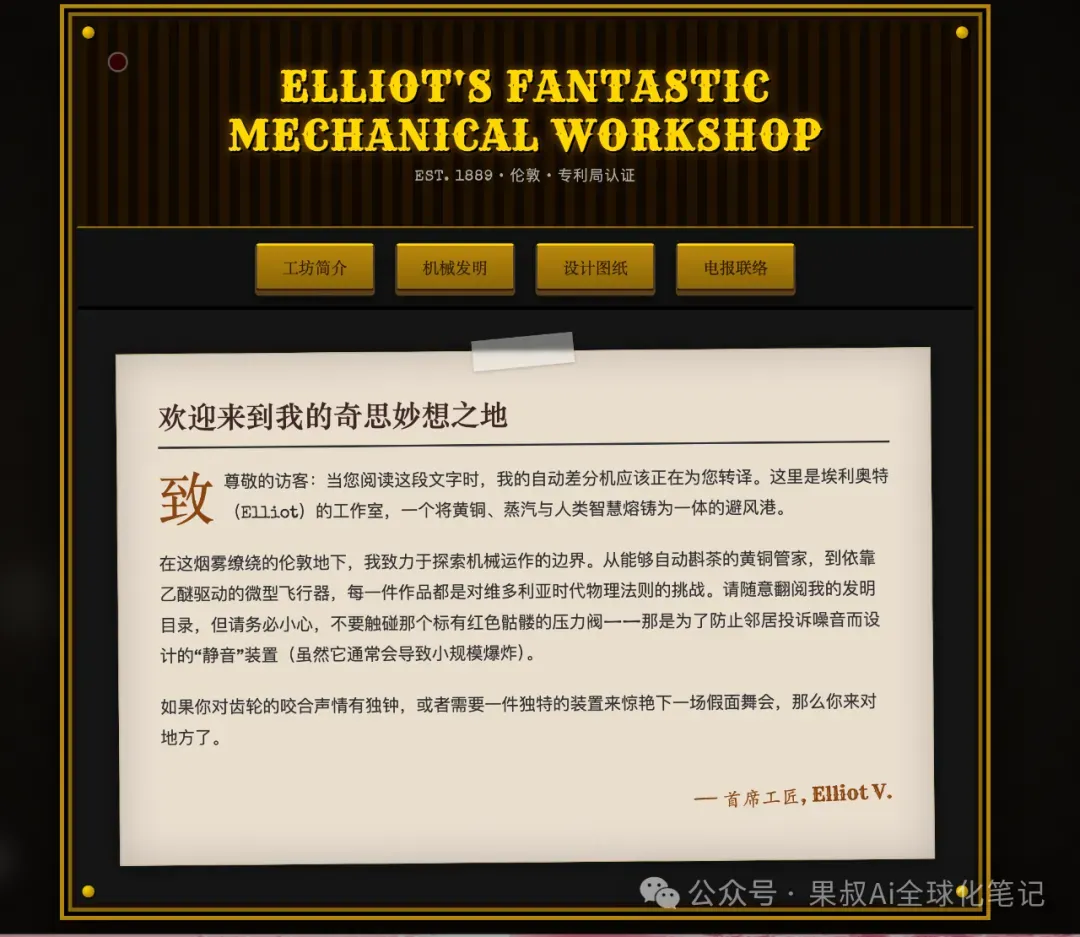
Judge CSS tricks for textures + mechanics (metallic surfaces, gears, smoke).
Code highlights
- Gears without images: combines
border: dashed+radial-gradientplusanimation: spinto draw rotating gears—a clever CSS hack. - Particle system: stacks DOM nodes with
filter: blur()+ vertical translation to mimic rising steam.
Wrap-Up: Where Gemini 3.0 Pro Shines (and Doesn’t)
Pros
- Semantic precision: maps adjectives like “glitch,” “retro,” “organic” to concrete CSS tactics.
- CSS drawing chops: gradients + shadows replace images, reducing HTTP calls and boosting performance.
- Context awareness: outputs structured layouts with responsive considerations in v1.
Cons
- Absolute positioning bias: decorative backgrounds often lean on
position: absolute, which risks overlap at extreme breakpoints. - Simplistic JS: visual flair is great, but business logic (e.g., real cart state) remains demo-level.
Conclusion
- From a product manager’s viewpoint: time to rethink prototyping. For many non-ultra-premium projects, PMs can go straight from Gemini to high-fidelity mockups, then into dev.
- From an indie hacker perspective: this nukes the “I can’t design” bottleneck. Treat Gemini as your personal design lead.
🌌 Stay objective, stay curious. Tools are just leverage; value delivery is the end goal.
