
Prompt Playbook | Nanobanana Pro · 2025
Google AI Studio Official Demo Breakdown
10 Prompts That Replace an Entire Art Outsourcing Team
By Mr. Guo · Reading Time: 12 Min · Update: 2025.11
A Quick Note
Google AI Studio’s official account dropped a “Nanobanana Pro” example set on X: from pixel sprites and infographics to whiteboard diagrams, covering asset needs for gaming, food, e-commerce, and education all at once. Many people asked if they can just copy the prompts. My answer: don’t memorize spells, deconstruct structure — that’s my core methodology.
Source: https://x.com/GoogleAIStudio/status/1994480371061469306
Below, I break these into 10 reusable templates by “Structure × Scenario × Style Anchor × Delivery Requirements”; plus best practices to ensure prompts work in real projects, not just as inspiration.
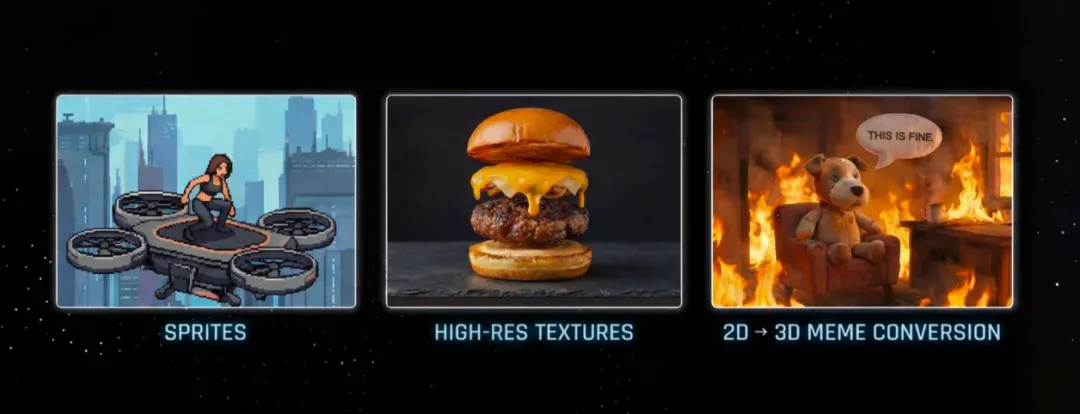
01
Actions & Characters: Sprites & Pixel IPs
Official Examples Overview: From Sprites to 2D→3D Conversion
Prompt 01 · Sprite Action Sheet
Perfect for indie games: specify 3×3 action frames at once — run, jump, attack all covered.
Pro Tip: Add “consistent lighting + consistent character proportions” to your prompt to prevent size/lighting drift.
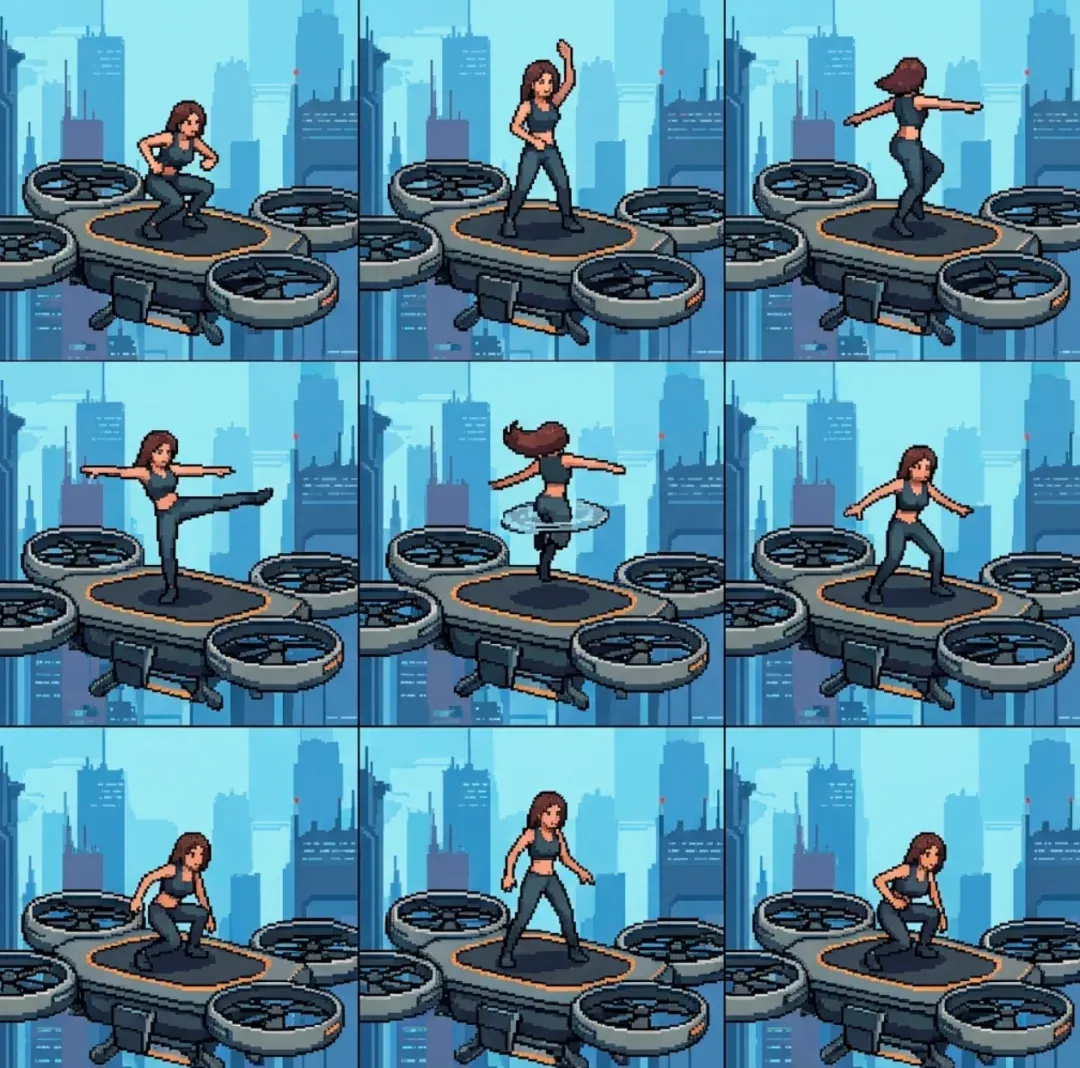
You are a senior pixel art director. Create a 3×3 sprite sheet of a [character] on a [platform], side-view. Row1: idle → start run → full run Row2: jump start → mid-air → landing Row3: attack wind-up → attack → recovery Style: 32×32 pixel art, consistent lighting, clean silhouettes.Prompt 02 · Pixel-Style IP Mascot
Upgrade your logo into a derivable character — perfect for stickers and emoji packs.
Best Practice: Lock 3 key features (mane color, pupil shape, accessory), then reference “same mascot” in subsequent prompts for consistency.
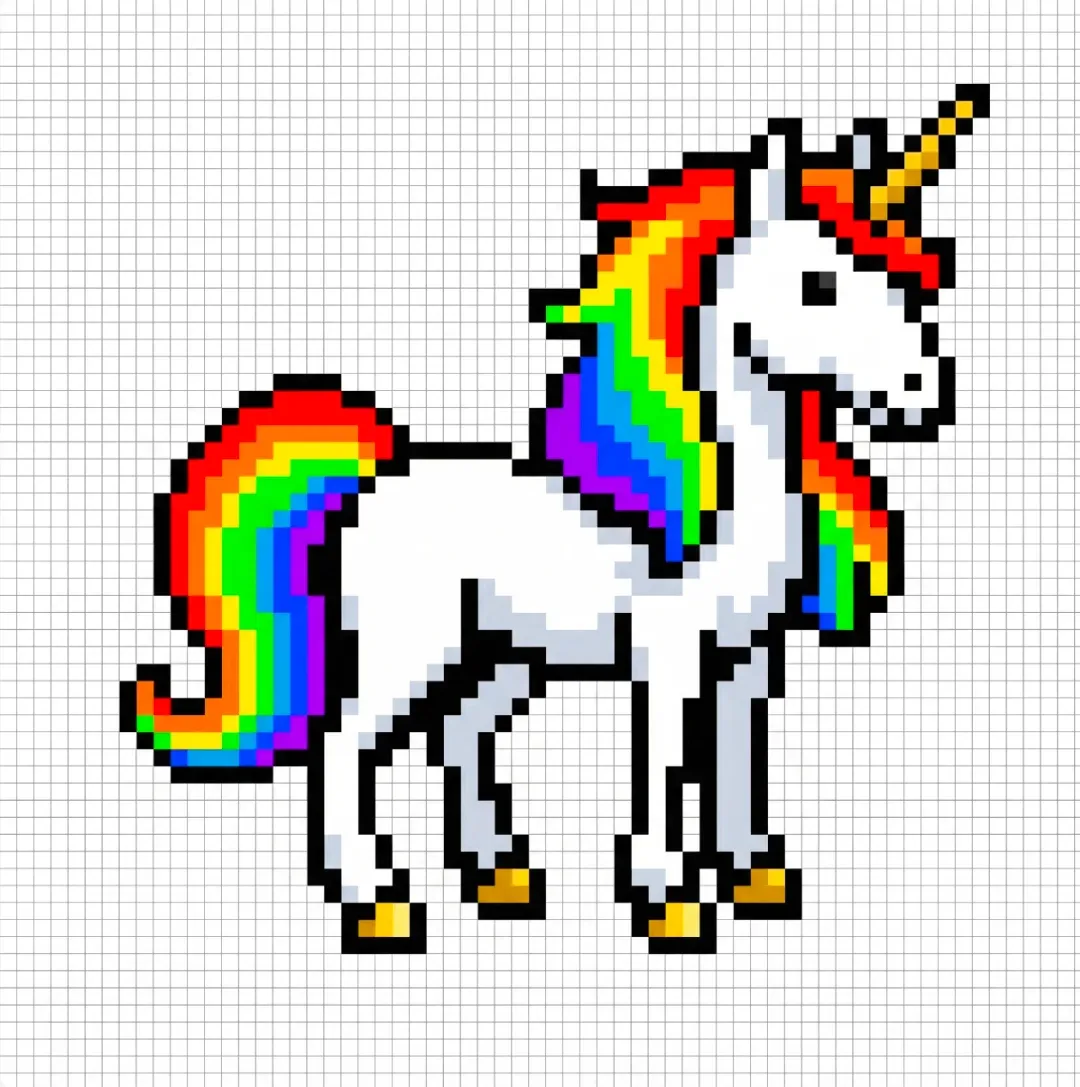
Design a pixel-art mascot for [Brand]. Concept: [species], [personality], key colors = brand palette. Front-facing full-body, bold outline, 3–5 shade levels, readable at 64×64 pixels. Output one centered sprite.02
Materials & Infographics: Food, Vintage, Atmosphere
Prompt 03 · High-Resolution Food / Textures
Perfect for e-commerce detail pages, food SaaS, or game props — layers clear and separable.
Best Practice: Tell the model “each layer should be croppable as icons” so it proactively leaves separation space.
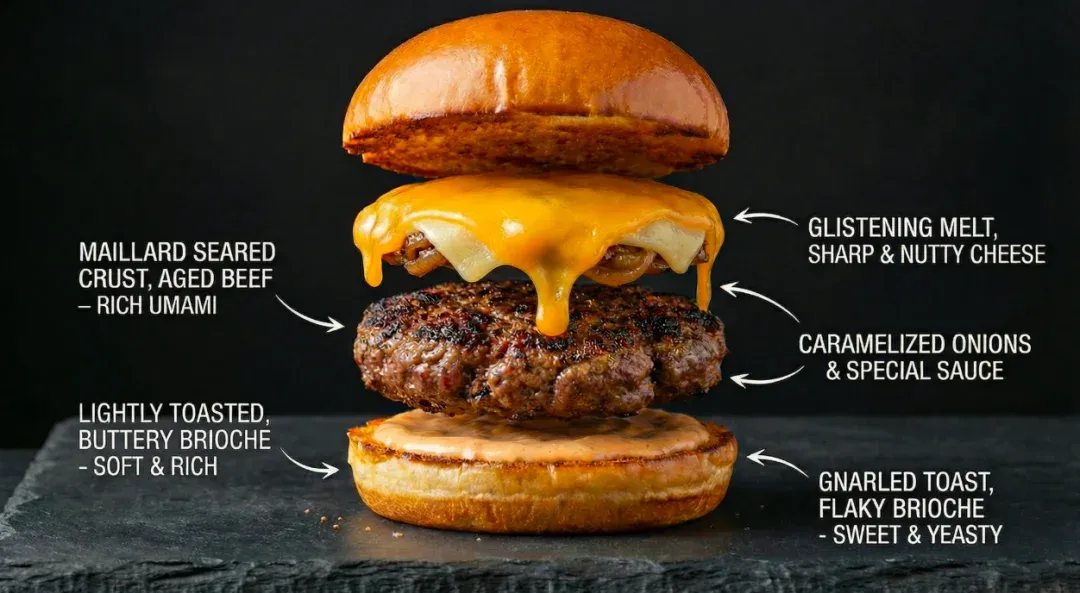
Create an ultra high-res hero shot of a [dish], with clearly separated layers for UI icons. Focus on realistic textures, side lighting, dark simple background. Output 16:9, centered composition.Prompt 04 · Vintage Info Poster
One page tells all: title + three columns of info + small illustrations — perfect for product story pages and offline materials.
Tip: Specify “1 core benefit point per column” in the prompt to prevent copy from getting wordy.
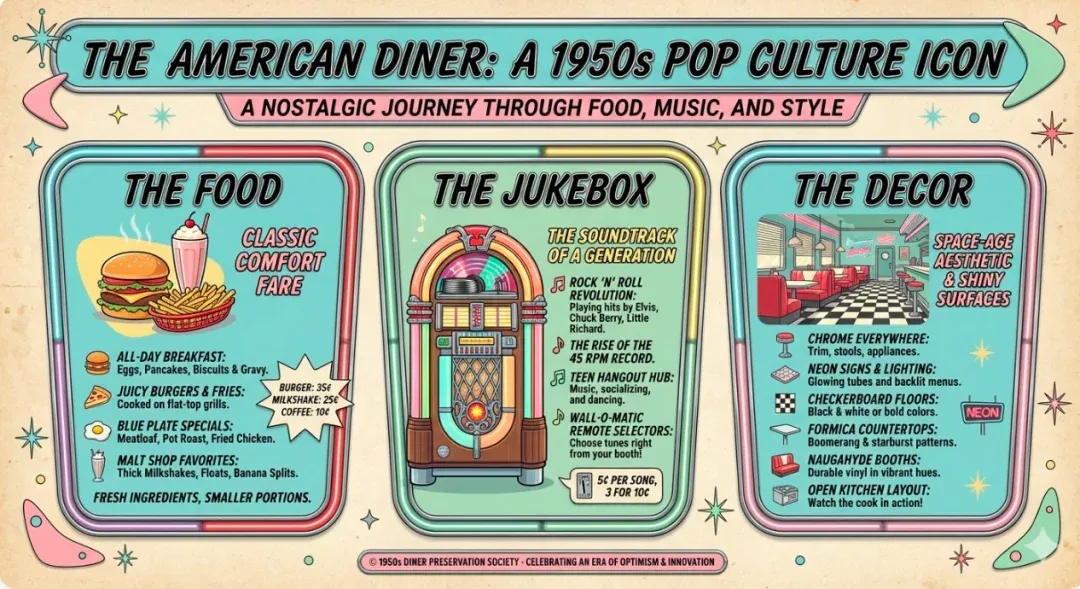
Design a vintage infographic poster "[Topic]". Layout: top curved title; three rounded panels (left/center/right), each with illustration + short bullets. Style: 1950s diner pastel, soft grain, playful icons.Prompt 05 · Environmental Atmosphere Concept Art
Convey your world’s humidity, temperature, and story feel — perfect for games, meditation apps, and writing products.
Best Practice: Add “foreground/midground/background layers” instruction for easier parallax or UI overlays later.
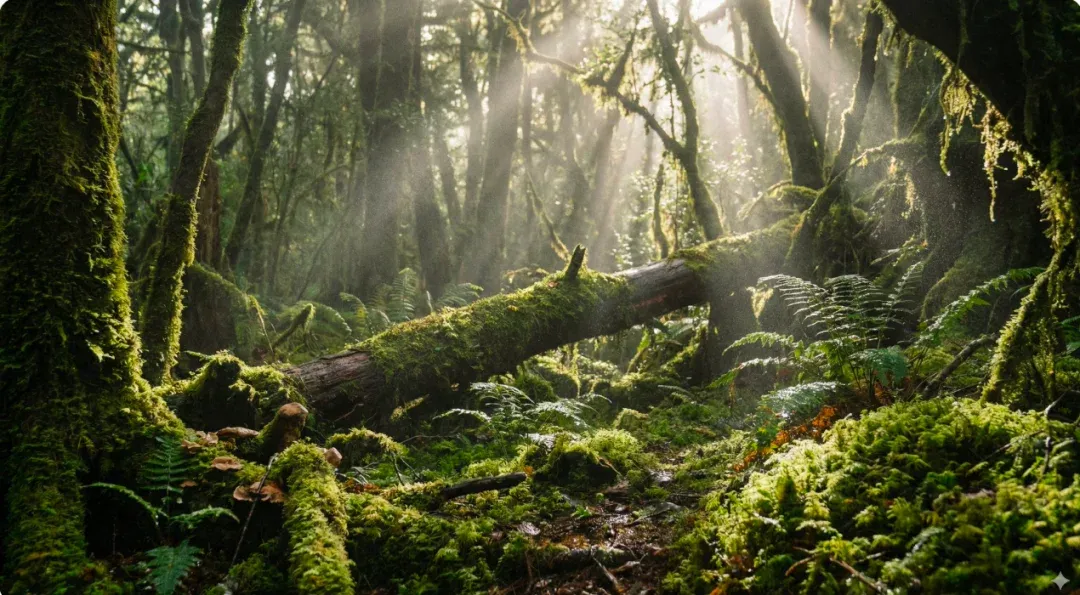
Generate an atmospheric concept art of a [location], with volumetric light, rich moss/bark textures, clear fore/mid/background layers, cinematic palette (21:9/16:9).03
Structure & Teaching: Blueprints, Data, Whiteboards
Prompt 06 · Architectural Blueprint / System Cross-Section
Present space or process as plan/elevation/section views — perfect for proposals and process explanations.
Tip: Pre-list room/module names to annotate, reducing random room additions.
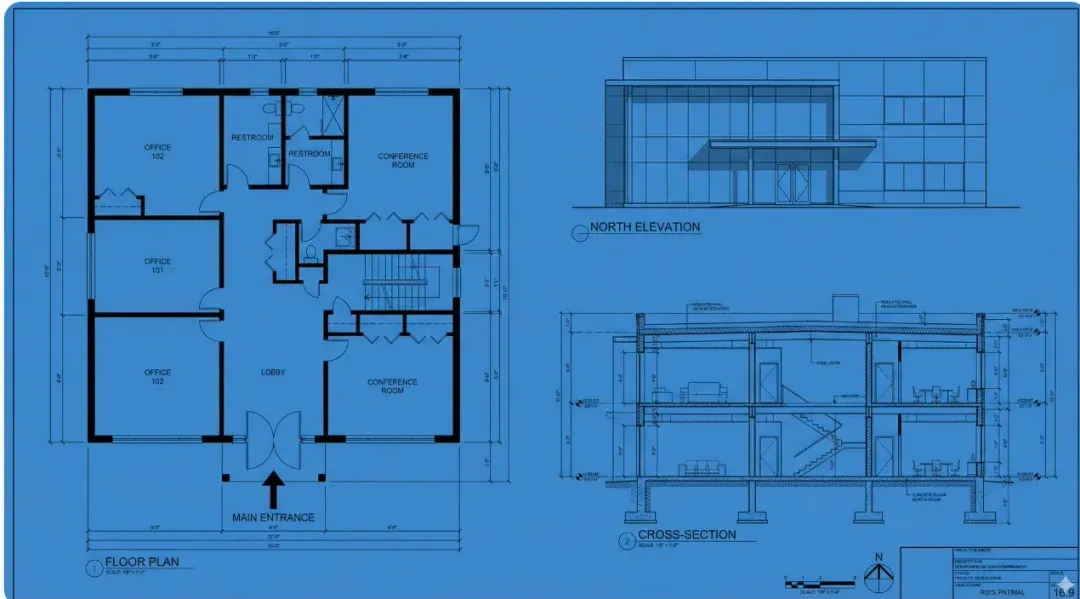
Draw an architectural blueprint for [space/system]: floor plan + front elevation + cross-section. Monochrome lines, clean labels, subtle paper texture.Prompt 07 · Data Story Infographic
Turn Excel into one image: title + key metrics + segments + cash — perfect for earnings reports and weekly operations reviews.
Best Practice: Use “mobile-readable” constraint for font size and whitespace to prevent tiny text.
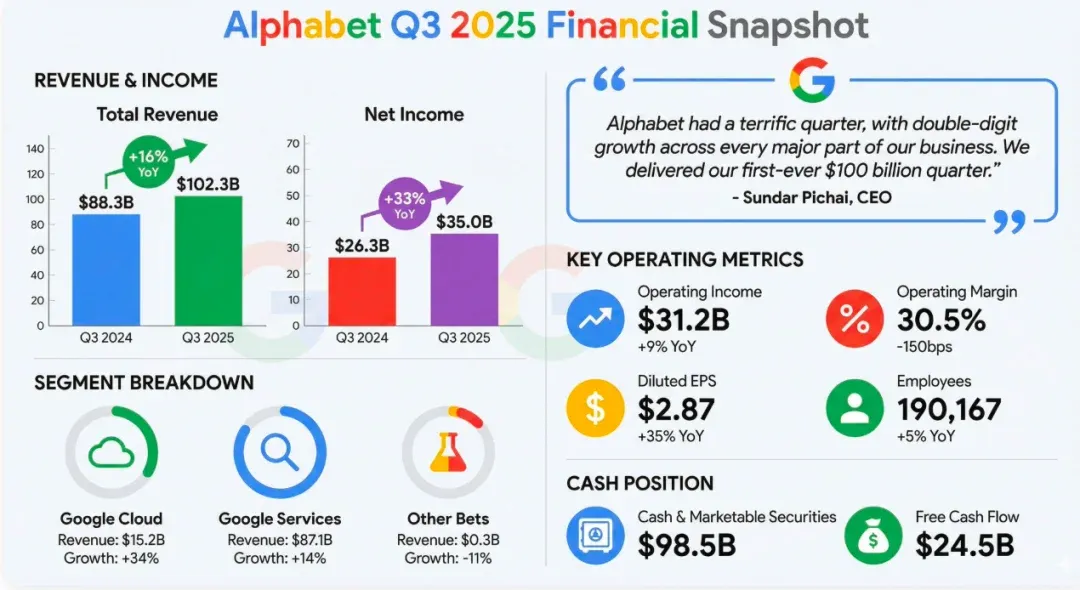
Create a financial snapshot for [Company][Q/Y]: top title + quote; left revenue/income charts; middle key metrics with icons; bottom segments & cash. Modern flat design, mobile-readable.Prompt 08 · Technical Whiteboard / Derivation Diagram
Visualize abstract models as hand-drawn whiteboard — perfect for tech bloggers and internal training.
Tip: Have the model output with “step numbers + arrows” for easy cropping into slides.
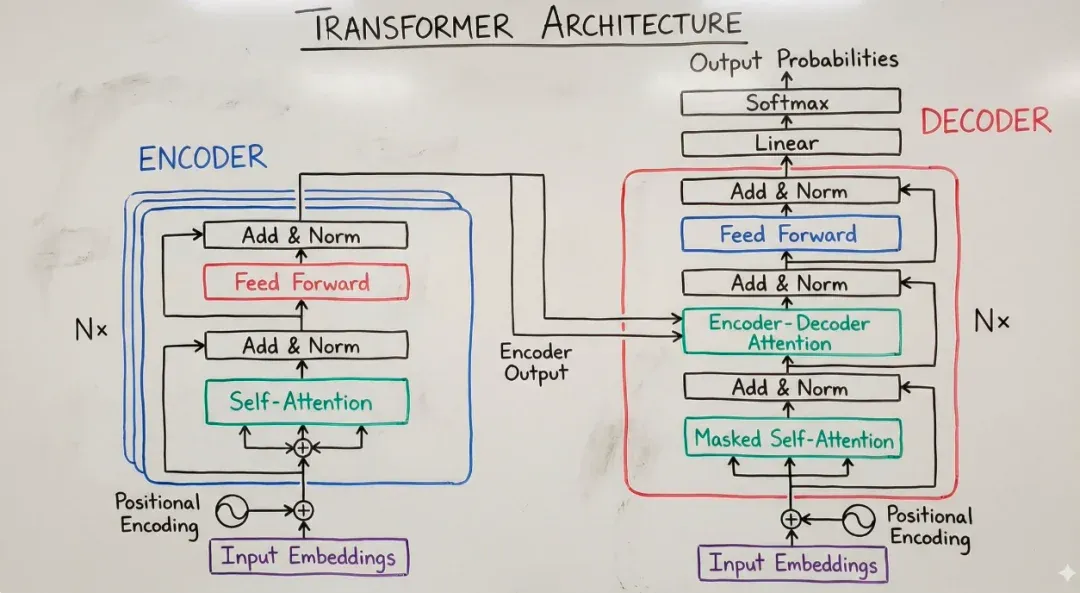
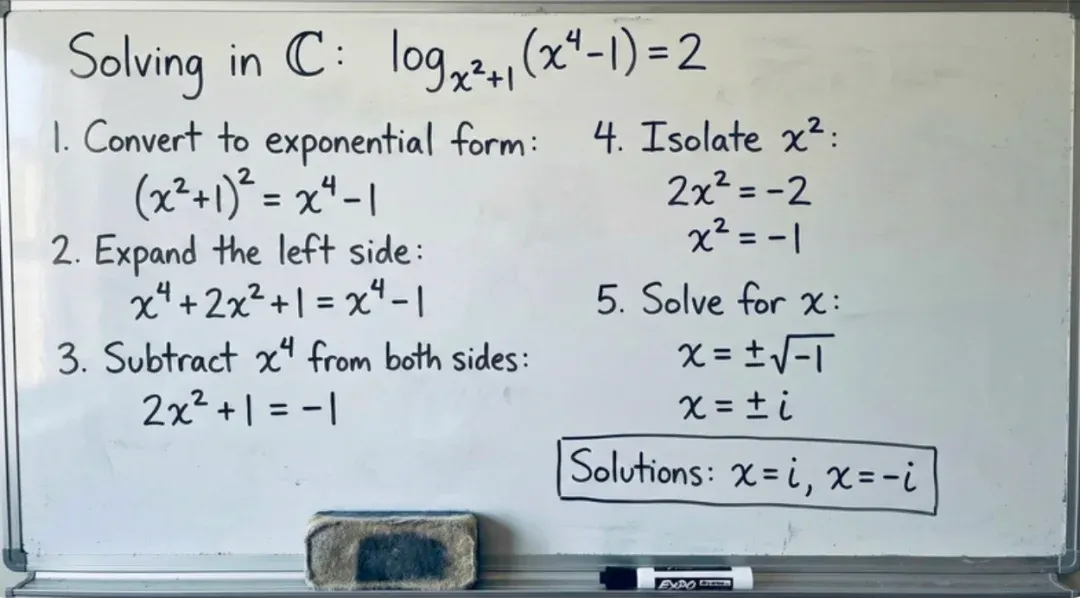
Draw a whiteboard-style diagram explaining [concept]: handwritten titles/arrows, boxes for components, numbered steps on the side, minimal color accents, readable in 16:9 slide.04
Story & Layout: Journey Grids & Ad Templates
Prompt 09 · Character Journey 3×3 Grid
Use 3×3 to tell a complete “encounter problem → discover product → successful transformation” story — perfect for social media.
Tip: Specify “same protagonists, consistent clothing/hairstyle” to prevent character inconsistency.
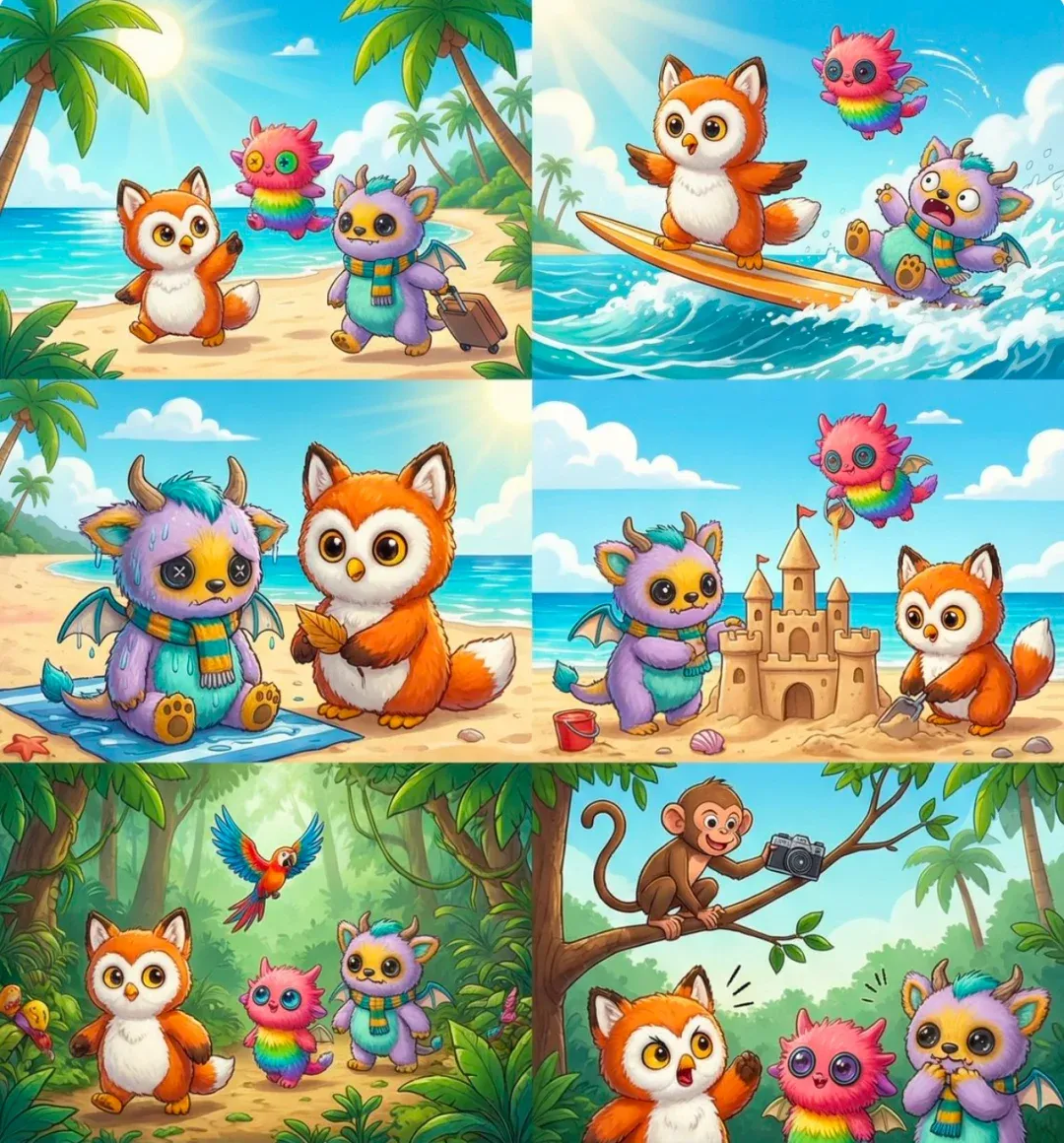
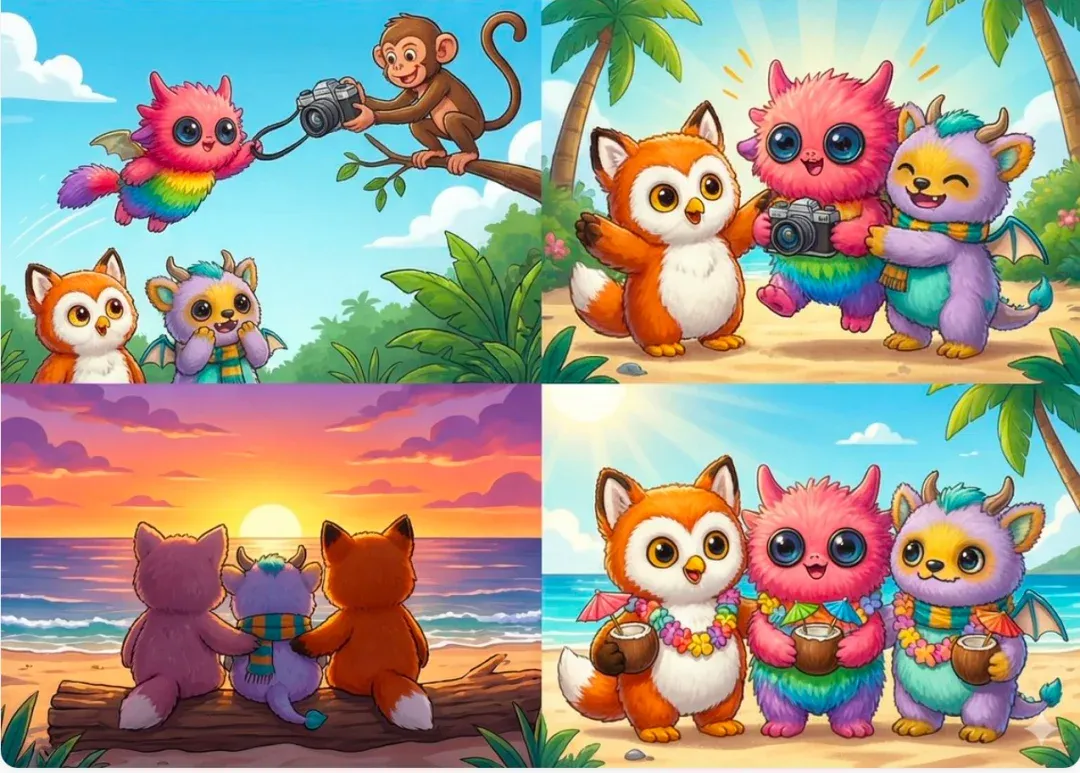

Create a 3×3 storyboard of [character(s)] using [product]: Row1: before (pain). Row2: try. Row3: success. Consistent character design, bright colors, social-ready panels.Prompt 10 · Ad Layout Template
Describe the wireframe first, then let the model fill in style — reduces “freeform chaos.”
Best Practice: Make “three images side by side, main headline, CTA bottom-right” hard layout requirements — output ready for social media.
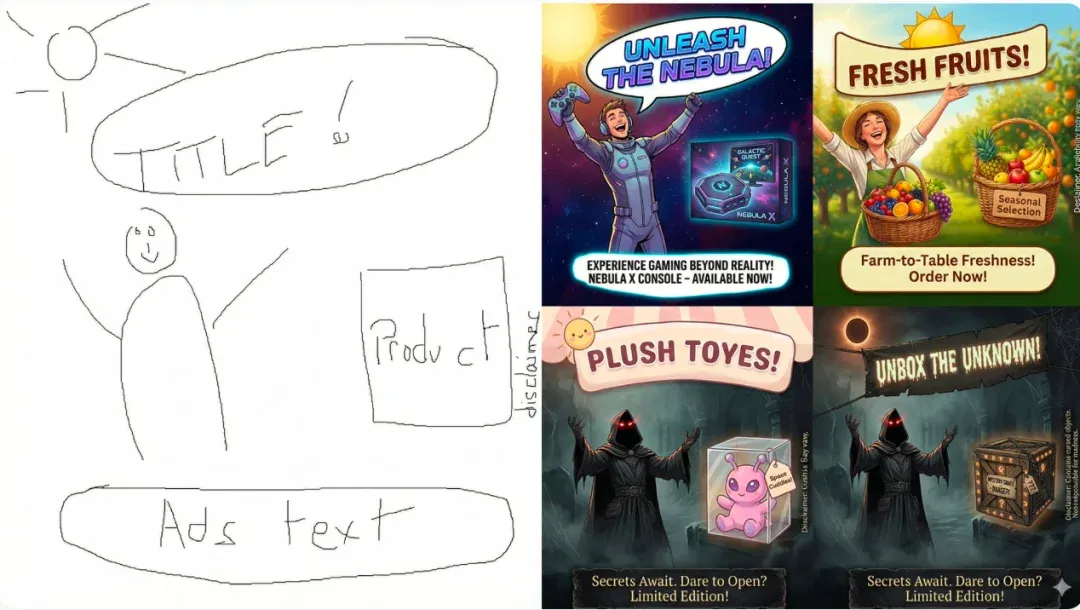
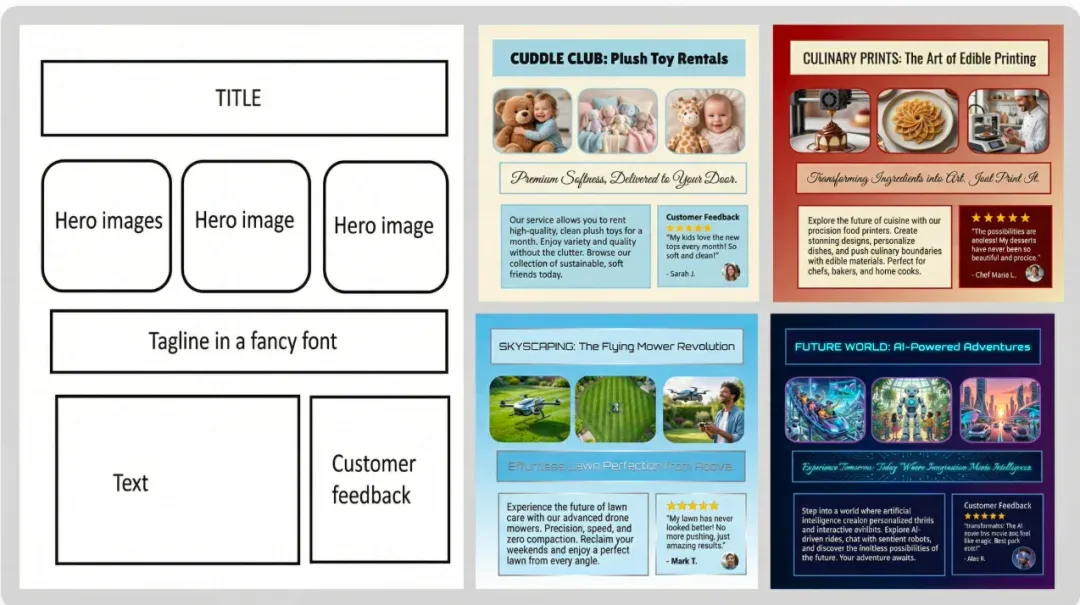
Design a social ad layout "[Campaign]". Layout: top title bar; middle 3 hero panels; below tagline; bottom-left body text; bottom-right testimonial/CTA. Style: clean, rounded corners, soft shadows.Summary · Deconstructing Prompts Is Worth More Than Memorizing Them
These 10 templates cover common asset needs for gaming, food, e-commerce, education, and advertising. Start by running 1-2 templates successfully, replacing [variables] with your product and scenario; once it flows, other types are just template swaps.
