
On-Page SEO Checklist: The “Factory Quality Control Standard” for Article Publishing
At the strategic level, we’ve discussed topical authority and content moats. But in the final tactical execution stage — before “publishing” — meticulous page-level verification is like a pilot’s pre-flight checklist: the professional touch ensuring nothing goes wrong. This checklist aims to standardize our SEO content article metrics as quality evaluation criteria and improve optimization efficiency.
This is an SEO series bonus article. Going forward, I’ll put specialized SEO tips, tool introductions, and execution-level content in bonus articles without affecting main article progress and volume. After all, SEO is a systematic discipline with considerable depth — supplementary content is needed to make the complete handbook more thorough.
Module 1: Core Content & Metadata
1. SEO Title: A perfect title is the art of dancing in strict constraints. It must be precisely controlled to 50-60 English characters (about 25-30 for Japanese/Traditional Chinese), with the core keyword positioned as early as possible. It should include click-attracting call-to-action words while differentiating from SERP competitors — avoid homogenization.
2. Meta Description: This is your free billboard on the SERP. Keep it to 120-160 English characters (about 70-90 for Japanese/Traditional Chinese). While summarizing the article’s core content with logical flow, naturally incorporate the core keyword and important long-tail terms, with core keyword positioned early.
3. H1 Title: Each page should have one and only one H1 tag. It should accurately reflect the article’s theme, include the core keyword or its high-volume synonyms, read naturally, and not exceed 80 characters.
4. Introduction: The article’s golden opening. Recommended length: 50-100 English words (about 100-200 for Japanese/Traditional Chinese). Must quickly identify the user’s pain point (what problem are they facing?) and clearly state how this article helps solve it (providing solutions), while naturally embedding the core keyword and long-tail terms.
Module 2: Article Structure & Body
5. H2/H3 Headings and Content Hierarchy: Heading structure must be logically clear. For How-to articles, ensure methods and steps are actionable, include feature and pros/cons comparisons, and make timely recommendations. For Best articles, selections should be differentiated, reviews well-reasoned, highlighting your product’s advantages. All H tags should naturally incorporate long-tail keywords; FAQ sections should stay on-topic.
6. Body Content: Content is king. Writing should flow naturally without grammatical errors, with transitions between paragraphs. Each section should have sufficient depth — avoid one or two sentence superficial introductions. Keyword embedding should be natural, avoiding stuffing. Where appropriate, recommend products in a helpful rather than pushy manner. If using AI assistance, human refinement is mandatory to ensure authentic expression and logical integration.
7. Conclusion: A powerful ending can dramatically improve conversion rates. Summarize the full article and provide clear recommendations based on user needs (which method/tool suits them best). Must include a clear Call to Action guiding users to try or download. Mention the core keyword again.
Module 3: Page Elements & Interactivity
8. CTA Buttons: In product introduction sections, first steps of procedures, or summary recommendations, clear CTA buttons are essential. In principle, no more than two button sets per screen to avoid user confusion.
9. Video: If relevant video exists, the best placement is at the end of your product introduction section as a visual feature demonstration. Video should have transitional text and CTA buttons before and after.
10. Images: Image quality is key to page experience. Must be clear, without watermarks (or properly licensed), with file size under 100kb (50kb optimal). Image filenames should be standardized (e.g., ai-singer-interface.jpg), and must have ALT text accurately describing image content (e.g., AI singer software interface showing vocal styles).
11. Table of Contents: For long articles, provide a clear, clickable navigation table of contents below the introduction to greatly optimize reading experience. TOC content should be concise without keyword stuffing.
Module 4: Links & URL
12. Internal Links: In product introductions or CTA sections, link to core product pages. When mentioning related topics, link to corresponding blog articles. Anchor text should use keyword phrases matching the target page content. Don’t place too many links in the same paragraph; maintain some distance between internal and external links.
13. Outbound Links: When linking to third-party tools, competitors, or news sites, add rel="nofollow" and target="_blank" attributes. When linking to recognized authoritative official sites (like Wiki, Apple, Google, etc.), nofollow is unnecessary.
14. URL: URLs should be short, clear, using the core keyword directly. For older articles with accumulated data, don’t casually change URLs. If you must, ensure proper 301 redirects and update all internal links pointing to old URLs.
Module 5: Technical SEO Signals
15. Canonical Tag: Ensure each page has a canonical tag pointing to itself (rel="canonical") to avoid duplicate content issues from parameters, etc.
16. Hreflang Tags: If your site offers multiple language versions, ensure correct Hreflang tags are set for each page, telling Google the corresponding relationships between language versions.
17. Robots.txt: Check and confirm your robots.txt file doesn’t accidentally block this article or its directory.
18. Sitemap.xml: Confirm newly published article URLs are included in your sitemap.xml file, and proactively submit the latest sitemap to Google Search Console to accelerate indexing.
Efficiency Tool Recommendations
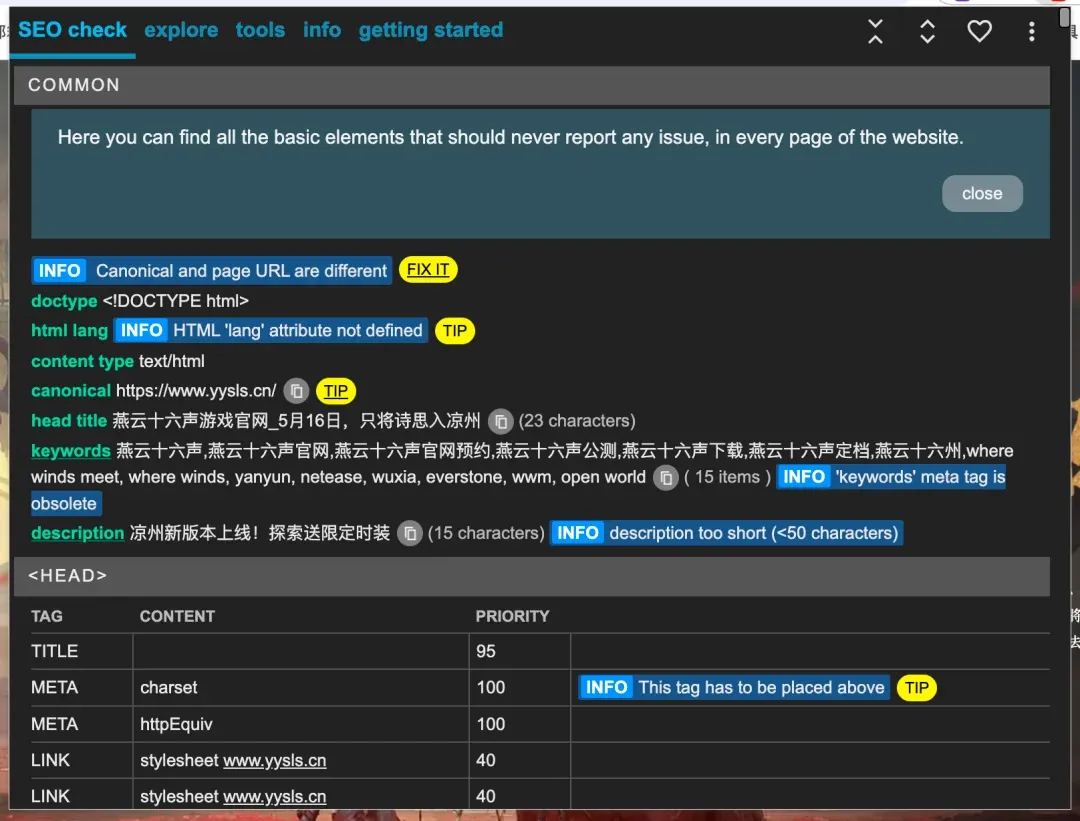
1. Meta SEO Inspector: A free Chrome extension. After installation, click the icon on any page to instantly see all key On-Page indicators: Title, Description, H tag structure, Image Alt, Canonical, etc. — an excellent quick-check tool.
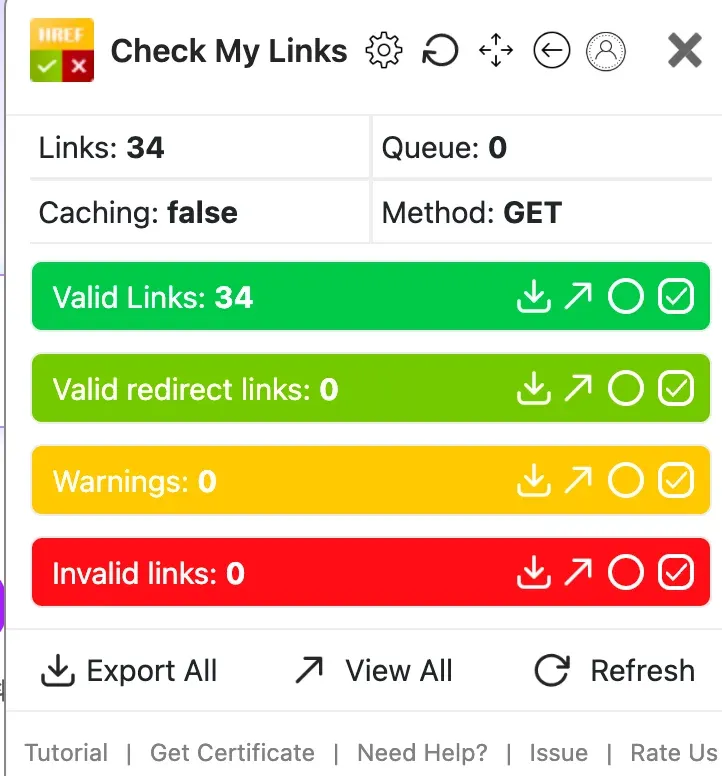
2. Check My Links: Another free Chrome extension. One-click checks all links’ health on a page. Normal links show green, redirects light green, while 404s and 5xx errors appear prominently in red — helping you quickly locate and fix broken links.
For the broader publishing process, see the SEO article production SOP.
