
Word count: ~4000 words
Estimated reading time: ~18 minutes
Last updated: July 28, 2025
Chapter Contents
-
Preface: The “Industrial Revolution” of Content Creation
-
Chapter 1: Mindset — What is Programmatic SEO (pSEO)?
-
Chapter 2: Deconstruction — Three Core Components of the pSEO Growth Engine
-
Chapter 3: Strategy — Five “Golden Scenarios” for pSEO
-
Chapter 4: Design — How to Build a Template Page with “Soul”
-
Chapter 5: Implementation — Build Your First pSEO Project with Next.js
-
Chapter 6: Pitfalls — The “Seven Deadly Sins” of pSEO
-
Chapter 7: Pacing — “Crawl Budget” and Gradual Publishing Strategy
-
Conclusion: From Beginner to Intermediate — Your Next Stop
Preface: The “Industrial Revolution” of Content Creation
Hey, I’m Mr. Guo. Over five articles, we’ve learned how to craft high-quality articles and landing pages like master artisans. But a profound contradiction has emerged: our content map may mark hundreds or thousands of valuable long-tail keywords, yet our time and energy only allow us to manually create one or two pieces per week.
This is a fundamental scaling bottleneck. Breaking through requires not working harder at “repetitive labor,” but an “industrial revolution.”
This article brings you the spark for that revolution. Programmatic SEO (pSEO) is your “steam engine” and “automated assembly line” for content production. It leads us through a decisive mindset shift — from “content creator” to “content systems engineer.”
Chapter 1: Mindset — What is Programmatic SEO (pSEO)?
Before diving into technical details, we must understand pSEO’s essence from first principles.

Imagine how books are born. Traditional SEO is like medieval monks hand-copying scriptures in a library. Each book is a unique work of art, but time-consuming and unscalable. Programmatic SEO is like Gutenberg inventing “movable type printing.” He no longer focused on each book’s specific content but on designing reusable “type molds” (templates) and an efficient “typesetting system” (generation engine).
The core idea of pSEO is this great mental shift: From “creating each page” to “designing a system that generates all pages.” Your work is no longer repetitive content filling, but upfront, one-time, high-value system design.
Chapter 2: Deconstruction — Three Core Components of the pSEO Growth Engine
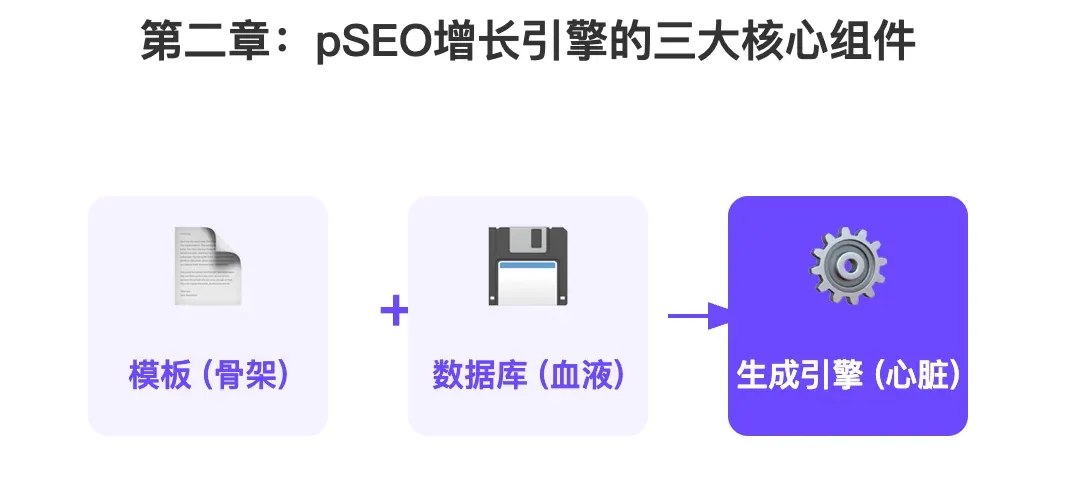
A successful pSEO project is like a precision machine, composed of three tightly coordinated core components:
-
The Template: This is the page’s “skeleton” or “mold.” It’s a well-designed HTML/CSS structure (in our case, React components) containing various “placeholders” for dynamic data. For example,
## [productName] Alternatives. -
The Dataset: This is the system’s “blood” or “raw material.” It’s a highly structured database containing all variables for filling the template. It can be a professional database (like PostgreSQL), a simple Airtable, Notion database, or even a JSON file or Google Sheet. Each row of data generates an independent page.
-
The Engine: This is the “heart” connecting skeleton and blood. It reads each row from the database, precisely fills it into template placeholders, and generates an independent, unique URL for each. In our implementation, Next.js’s Static Site Generation (SSG) plays this “engine” role.
Chapter 3: Strategy — Five “Golden Scenarios” for pSEO
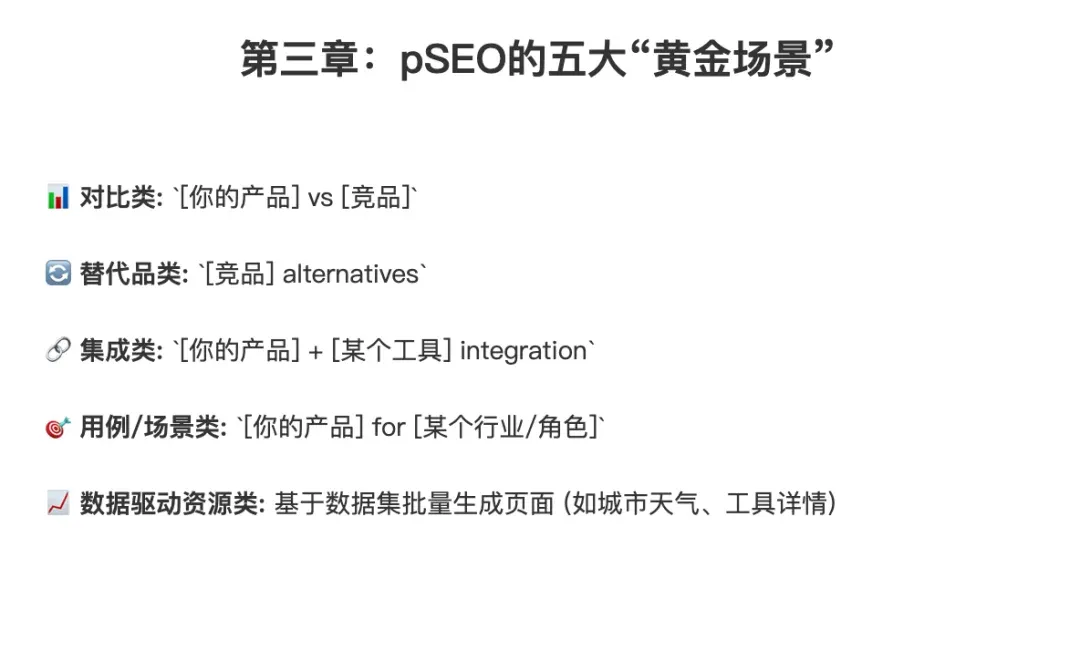
pSEO isn’t a silver bullet — it only suits scenarios with “reusable patterns” and “structured needs.” For SaaS and AI product developers, these five are battle-tested golden scenarios:
-
Comparison:
[Your Product] vs [Competitor]. Example:Figma vs Sketch,Notion vs Obsidian. Database fields include: competitor name, logo, feature comparison, pricing, etc. -
Alternatives:
[Competitor] alternatives. Example:Mailchimp alternatives. One of the best scenarios for capturing users with clear needs. -
Integrations:
[Your Product] + [Tool] integration. Example:Slack + Trello integration. Showcases your product ecosystem and connectivity. -
Use Cases:
[Your Product] for [Industry/Role]. Example:Notion for students,Airtable for project management. -
Data-Driven Resources: Bulk-generate pages based on a large, unique, or public dataset. For example, a weather site can generate a page for “every city in the world”; an AI tools directory can generate a detail page for “each AI tool.”
Chapter 4: Design — How to Build a Template Page with “Soul”
This is the key to pSEO success and where we differentiate ourselves from low-quality “content farms.” A good template must ensure every auto-generated page appears unique and valuable to both Google and users.
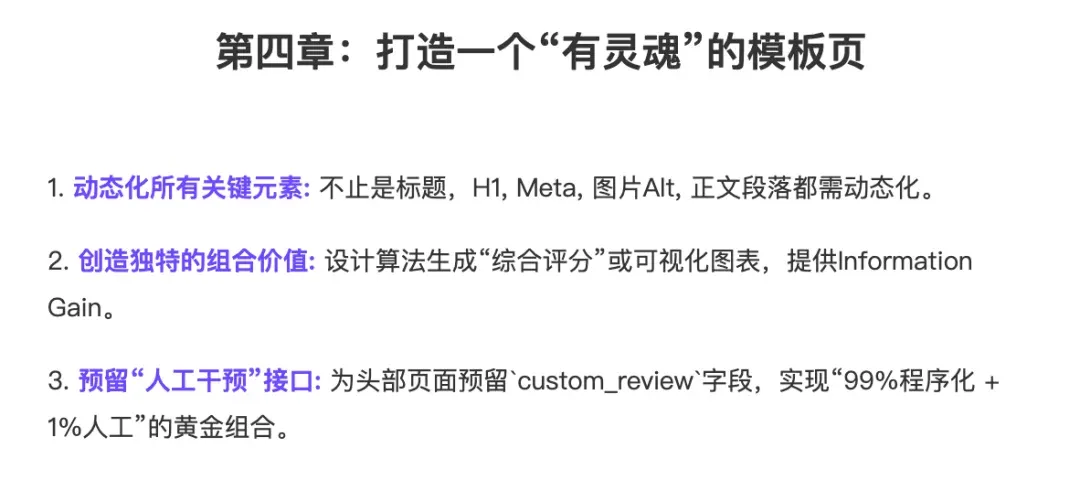
Three core design principles:
-
Dynamize All Key Elements: Just replacing keywords in titles isn’t enough. The page’s H1, Meta Description, image Alt text, and key body paragraphs must all be dynamic, driven by your database.
-
Create Unique Combined Value: Your template shouldn’t just list data. Design modules that create “Information Gain.” For example, in comparison pages, besides listing features, design an algorithm that generates a “comprehensive recommendation index” based on key metrics (pricing, ease of use, feature richness) with visual display.
-
Reserve “Human Intervention” Interfaces: The highest-level pSEO is a “programmatic + manual” hybrid. Your database should include a
custom_reviewfield. For highest-traffic, most important pages (likeNotion alternatives), you can manually write a 500-word insightful deep analysis for this field. This way, 99% of pages are efficiently programmatically generated, while the top 1% receive handcrafted ultimate quality.
Chapter 5: Implementation — Build Your First pSEO Project with Next.js
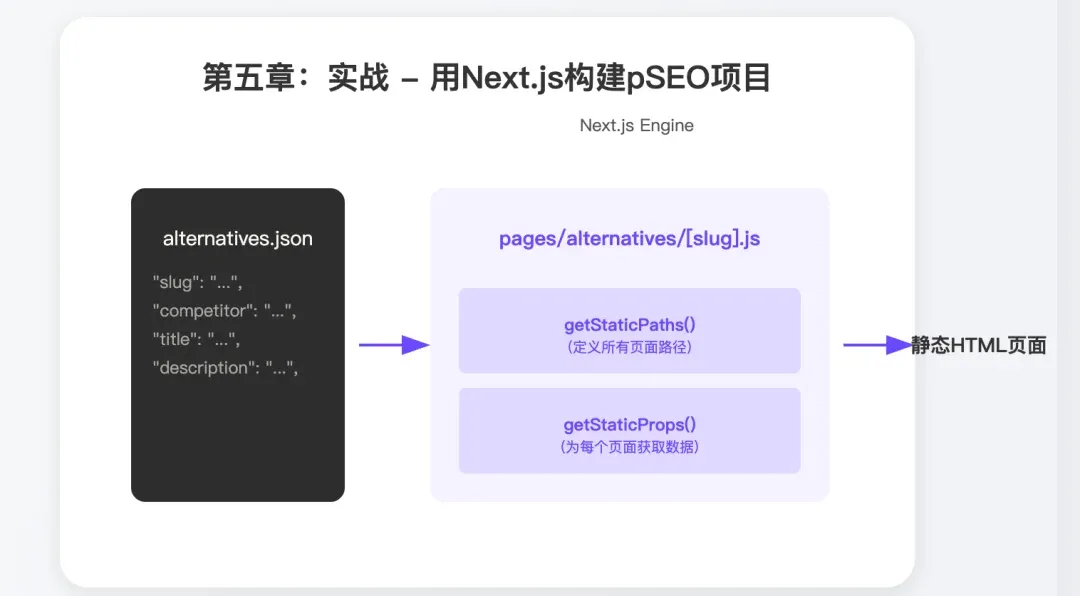
Talk is cheap, show me the code. Let’s use the common “alternatives” scenario to build a pSEO project with Next.js.
Step 1: Build Your Database
We can simply create a data/alternatives.json file in the project root:
[
  {
    "slug": "mailchimp-alternatives",
    "competitor": "Mailchimp",
    "title": "5 Best Mailchimp Alternatives in 2025 (Free & Paid)",
    "description": "Looking for Mailchimp alternatives? We reviewed the 5 best email marketing tools to replace Mailchimp, focusing on pricing, features, and ease of use.",
    "pros": ["Great for beginners", "Good templates"],
    "cons": ["Gets expensive quickly", "Limited automation on free plan"],
    "custom_review": "While Mailchimp is a solid choice, its recent pricing changes have pushed many users to seek more affordable and powerful alternatives..."
  },
  {
    "slug": "hubspot-alternatives",
    "competitor": "HubSpot",
    ...
  }
]
Step 2: Create Dynamic Route Page
In your pages directory, create a file named alternatives/[slug].js. This [slug] is the key to dynamic routing.
Step 3: Implement getStaticPaths and getStaticProps
In this file, we tell Next.js which pages to generate and what data each needs.
import path from 'path';
import fs from 'fs';

// Page component
export default function AlternativePage({ pageData }) {
  return (
    <div>
      <h1>{pageData.title}</h1>
      <p>{pageData.description}</p>
      <h2>Why look for {pageData.competitor} alternatives?</h2>
      <p>{pageData.custom_review}</p>
      {/* ... more rendering components ... */}
    </div>
  );
}

// Tell Next.js which pages to build
export async function getStaticPaths() {
  const filePath = path.join(process.cwd(), 'data', 'alternatives.json');
  const jsonData = await fs.promises.readFile(filePath);
  const data = JSON.parse(jsonData);
  const paths = data.map(item => ({
    params: { slug: item.slug },
  }));
  return { paths, fallback: false };
}

// Get corresponding data for each page
export async function getStaticProps({ params }) {
  const filePath = path.join(process.cwd(), 'data', 'alternatives.json');
  const jsonData = await fs.promises.readFile(filePath);
  const data = JSON.parse(jsonData);
  const pageData = data.find(item => item.slug === params.slug);
  return {
    props: {
      pageData,
    },
  };
}
That’s it! When you run next build, Next.js automatically reads your JSON file and generates a complete, static, SEO-friendly HTML page for each record. Just maintain your database; the system handles the rest.
Note: JSON + getStaticPaths/getStaticProps is the classic entry-level pSEO approach; but when data volume, edit frequency, or SEO needs scale up, remember to evolve with ISR, Headless CMS, and structured data to ensure build speed, content freshness, and long-tail traffic growth keep pace with your business.
Chapter 6: Pitfalls — The “Seven Deadly Sins” of pSEO
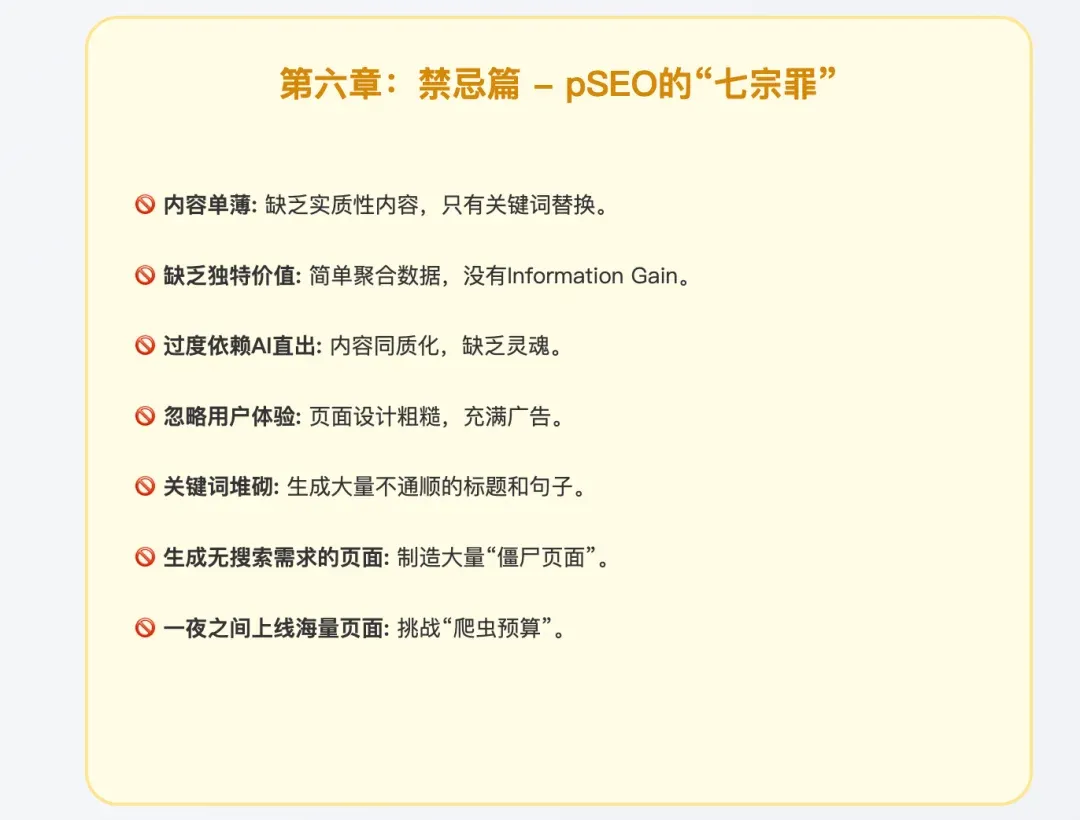
“He who fights with monsters should be careful lest he thereby become a monster.” pSEO is a powerful weapon, but misuse turns you into the “content farm owner” Google most despises. Here are the “seven deadly sins” you must avoid:
-
Thin Content: Pages with only a few dynamically swapped keywords, lacking substantial content.
-
Lack of Unique Value: Simply aggregating public data without providing unique analysis or combined value.
-
Over-reliance on Raw AI Output: Directly using AI to generate all descriptive text without human review and optimization, leading to homogenized, soulless content.
-
Ignoring User Experience: Rough page design filled with ads and useless links.
-
Keyword Stuffing: Generating masses of awkward titles and sentences just to match keywords.
-
Generating Pages with No Search Demand: Creating massive “zombie pages” no one searches for based on a huge database.
-
Launching Massive Pages Overnight: (We’ll detail this in the next chapter).
Chapter 7: Pacing — “Crawl Budget” and Gradual Publishing Strategy
This is the mistake technically-minded developers make most often. If we can generate 10,000 pages, why not launch them all at once? The answer: “Crawl Budget.”
Simply put, Google allocates limited crawling resources to each website, and this budget directly correlates with your site’s scale, reputation, and authority. If an unknown new site suddenly spawns tens of thousands of pages, Google’s crawlers get overwhelmed and will likely label you as a “worthless spam content farm,” giving extremely low trust.
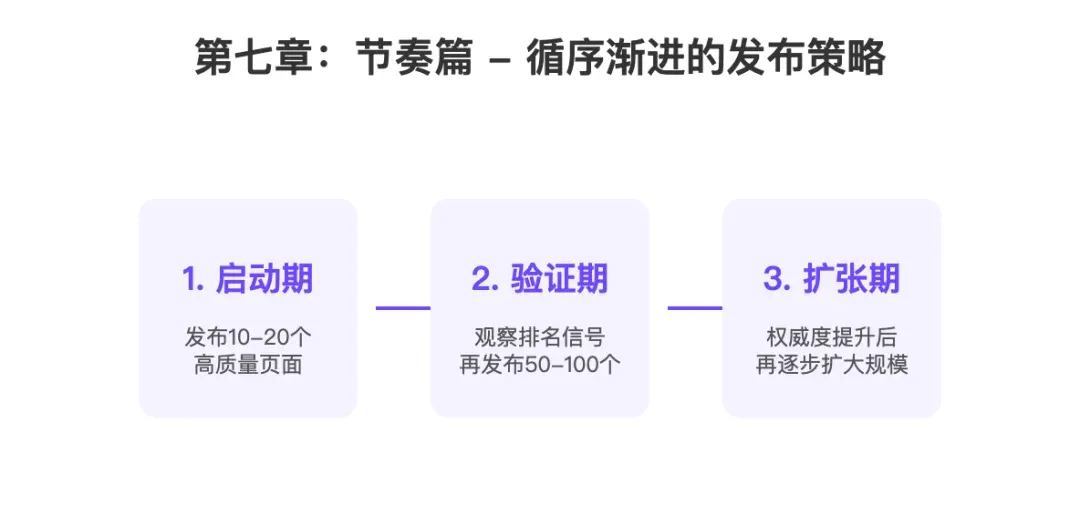
The correct publishing strategy should be gradual:
-
Launch Phase: Manually select the 10-20 most important records from your database for the first batch. Invest human effort in writing high-quality “custom reviews” for these pages to ensure good initial rankings.
-
Validation Phase: Observe these pages’ indexing and ranking performance. Once they start gaining traffic and trust signals, publish the second batch (e.g., 50-100 pages).
-
Expansion Phase: As your site’s authority improves and crawl budget increases, gradually expand publishing scale.
Conclusion: From Beginner to Intermediate — Your Next Stop
With this, our “content production trilogy” officially concludes. You’ve mastered the full methodology from carefully crafted individual articles to systematic, scalable operations. pSEO is the most powerful growth lever in your toolbox — please wield it with “white hat” and “long-term” mindset.
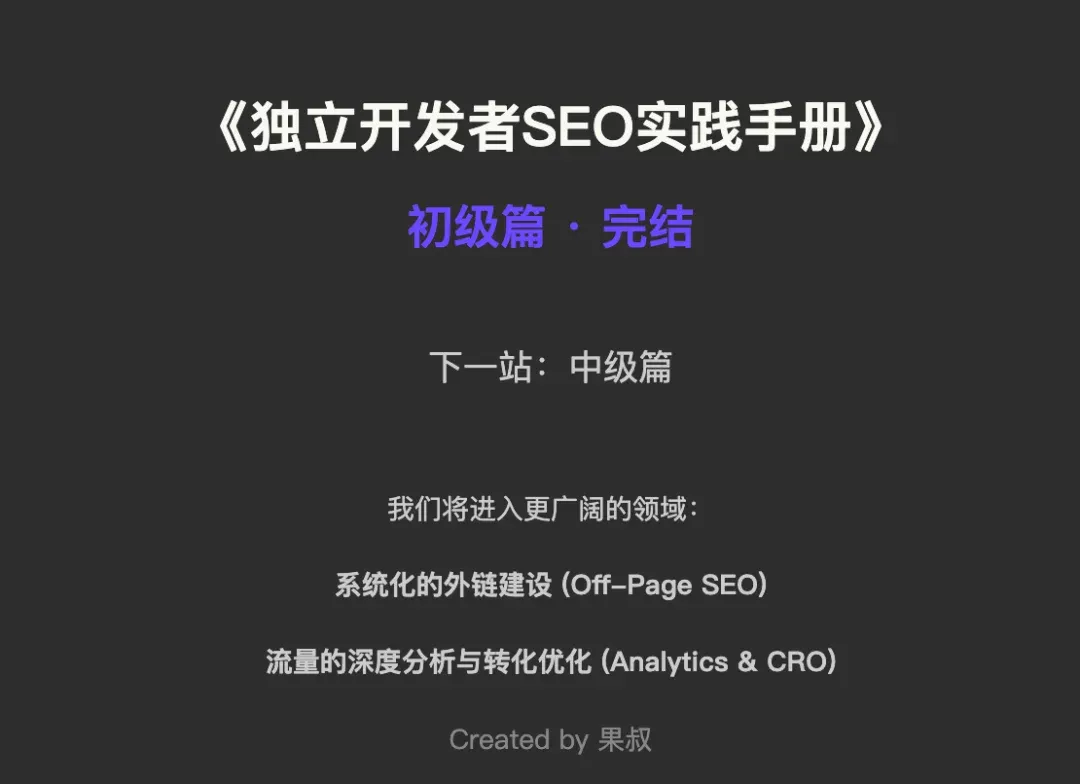
As this article ends, the “Indie Developer SEO Handbook - Beginner Series” draws to a satisfying close. Together we’ve built a solid technical foundation and mastered core SOPs for content strategy and production.
But SEO’s vast ocean — we’ve just set sail. In the upcoming “Intermediate Series,” we’ll cast our gaze toward broader territories, such as: Systematic link building (Off-Page SEO) and Deep traffic analysis and conversion optimization (Analytics & CRO). Thank you for journeying together; see you in the intermediate series.
Found this insightful? Follow my channel to explore AI, going global, and digital marketing’s infinite possibilities together.
🌌 Don’t try to manually do what machines should do — focus instead on designing an elegant system that makes machines work for you.
