
WebMCP Is Not a Ranking Signal. It Is a Task Handoff Layer
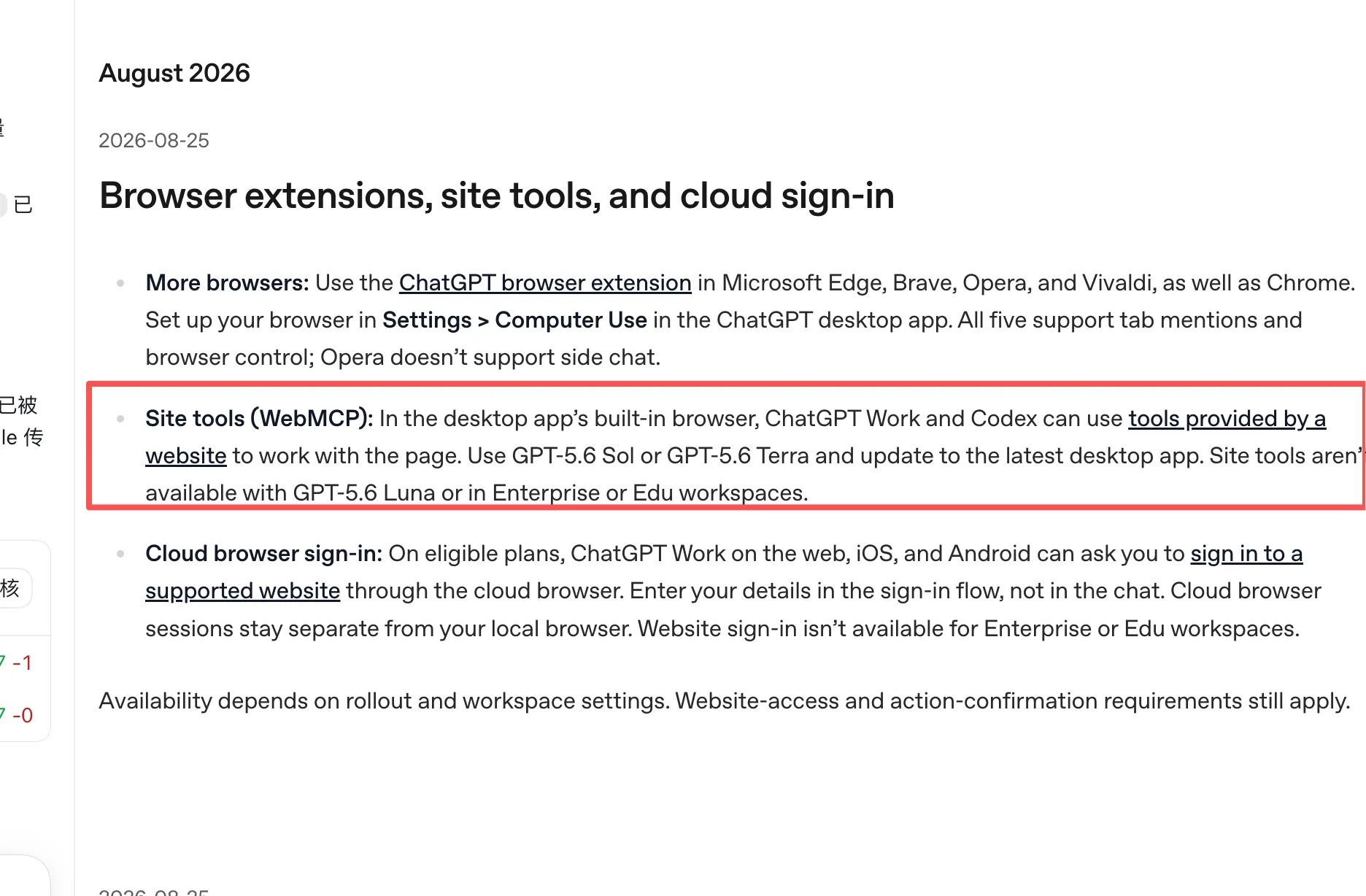
A few days ago, I noticed a line in a GPT release update that was easy to overlook: Site tools (WebMCP).
Many people will interpret this as: websites can finally connect to MCP too.
That interpretation is not wrong, but it is too quick. What matters to website operators is not another protocol name. It is that an agent and a user can finally work together on the same real-time, logged-in page. The page exposes the actions it supports, so the agent does not have to guess at buttons or click through the DOM blindly. The user can also watch the progress and confirm actions when confirmation is needed.
OpenAI currently calls this capability Site tools. It follows the current page, so the tools may become unavailable when the page is closed or navigated away from. Actions with consequences still require safety checks and user confirmation.
These limits matter a lot.
They show that WebMCP is not a new ranking signal, nor an entrance that automatically brings you AI traffic. It is more like a conversion channel after arrival: once the user and the agent are on your page, can they move a task forward faster and more reliably?
That is the missing layer I think GEO needs to add: task handoff capability.
SEO solves discovery. GEO solves citation. For websites with real product capabilities, there is one more practical question: AI has already brought the user here, but do you have a small, well-defined capability that is worth handing over safely?
Do not rush to connect the entire site. The three scenarios below are more useful than building a universal AI button. The tool names in this article are implementation blueprints, not established standards. The only principle is to reuse the product’s existing logic, permissions, and validation rather than opening a separate back door.
SaaS Sites: Help Agents Deliver First Value, Not Buy on the User’s Behalf
A typical B2B SaaS homepage is full of features. Users and agents can both recognize words such as dashboard, automation, report, and workflow. But getting through registration, configuration, and the first useful result is still a long path where people can easily give up.
WebMCP’s first strong use case is to carve out one small, clearly defined handoff action from that path.
Suppose you run an SEO or growth SaaS product. A user opens a project page and asks an agent, “I have just connected the data. What should I look at first?” The page could expose only three actions: read the project’s connected data sources and permission scope; generate an onboarding draft from the real state shown on the page; and save that draft as a project task awaiting confirmation.
The important word is “draft.” The agent can tell the user that GSC is not connected, that the project currently has 32 pages without titles, and which check should run first. But it should not change project settings, send email, upgrade a plan, or spend money for the user.
The real product value is not how polished the chat response sounds. It is that the user clicks through fewer pages, reads less help documentation, and reaches first value sooner. Do not measure only tool-call volume. Track the share of trial users who complete the first key action, the share of drafts they accept, and whether the need for human support decreases.
OpenAI’s travel planner example follows a similar logic: an agent can compare options and update an itinerary while the user keeps the map in view. Good WebMCP does not push people out of the flow. It removes repetitive work while preserving the user’s final say.
Data Sites: Let Agents Understand Charts, Not Run Naked in Your Database
The second natural fit is a data dashboard.
This is also a scenario called out directly in the official documentation: an agent can set a date range and then inspect the data behind a chart. The problem with many data sites is familiar. A person can look at a chart and roughly see that something is abnormal, but explaining the anomaly requires changing the time range, switching dimensions, exporting a CSV, and then asking an analyst.
A practical WebMCP design does not need to hand the database directly to an agent. Let the current dashboard expose a few narrow actions: set a date range, read the current chart’s metric and filters, compare two periods, and generate a draft explanation of an anomaly.
A user might say, “Compare registrations this week with last week, and check which traffic channels changed.” The agent should use only the data the current page already permits the user to see. Its response must include the time range, time zone, filters, data freshness, and chart name. The user should be able to look up and verify the result on the same chart.
This is more dependable than having an agent identify a chart from a screenshot and guess at its axes. It is also safer than giving it a “run any SQL” channel. Leave permission changes, full-data exports, metric-definition changes, and report deletion out of the first version.
The acceptance metrics for a data site are straightforward: how long does it take to move from “I see an anomaly” to “I have a verifiable explanation”? Does the user still need to ask an analyst to clarify the definition? How often can the agent’s conclusion be checked directly against the chart? Do not celebrate a large tool-call dashboard. One misread chart can cost a data product a great deal of trust.
Content Sites: Build a Searchable, Precise Research Desk Before Adding an AI Button to Every Article
For a pure content site, the most important things in the short term remain content, evidence, author information, update mechanisms, and external trust. WebMCP will not turn an ordinary article into a high-quality source for AI search.
But content sites are not without opportunities.
OpenAI’s Learn and Developers documentation already provide a useful real-world reference: an agent can search documentation, read a specific page, read the current route and selected text, and jump to the relevant page. This is more valuable than “summarize the whole article” because it solves the reader’s actual problem: they cannot find an answer in a library, or they find it but do not know which passage to trust.
Translated to a knowledge base, industry publication, or large content site, the first set of tools can stay deliberately small: search site content, read a specified passage, locate a term’s definition, compare the conclusions and publication dates of two articles, and turn the user’s selected text into a note waiting to be saved.
Saving a note is fine; publishing directly is not. Pointing out a conflict is fine; rewriting the original text for the user is not. Content sites should worry less about an agent being insufficiently clever than about an old article, partial context, and one unconfirmed write operation damaging credibility all at once.
For a content site, WebMCP should not be another flashy entrance. It should reduce the chance that a reader asks a question already covered by the site but leaves because search and context are poor. Useful measures include zero-result searches, support requests after reading, time spent locating source material, and whether users actually open the original passages being recommended.
What Really Needs Improvement Is Action Semantics
WebMCP and traditional MCP do not have to be mutually exclusive. The latter is better suited to service integrations and background tasks when no page is open. The former is better suited to collaboration where the user, agent, and page state are all visible. A mature product may eventually use both, but a small team does not need to build two highways first.
Start with one existing, low-risk action with explicit inputs. It should answer five questions: What is it called? What inputs does it require? What will it change? How can the user verify it? How do we stop if it goes wrong?
These questions sound like product and frontend work, but they are getting closer to GEO. GEO once focused on making content easier to understand and cite. Next, it will force operations, product, and engineering teams to explain what users actually need to accomplish on the site.
Do not mistake WebMCP for a shortcut. It will not supply missing product capabilities or missing trust. A confused product connected to an agent will only hand that confusion to the user faster.
But if your product already has one small task that is clear, useful, and genuinely worth handing over, WebMCP is worth testing early.
The thing to optimize is not making it easier for an agent to click buttons.
It is making it harder for the agent to misunderstand what you want it to do.
References
- OpenAI: Site tools / WebMCP https://learn.chatgpt.com/docs/webmcp
- Model Context Protocol: Architecture overview https://modelcontextprotocol.org/docs/2026-07-28/learn/architecture
- Further reading: Google launches WebMCP: as websites expose tools to AI, SEO/GEO and web apps must be redesigned
- Further reading: Do not focus only on whether AI will cite you; next it may call your site directly
